 8PWD
8PWD8PWD 2026 · iPhone · iPad · Mac
Your passwords stay on your own device.
There is no account to create, nothing syncs, and no server exists on our side — because the app has no networking code of its own. Open it, tap once to agree, and your vault is ready: encrypted with a key that never leaves this device, and open the moment your device is unlocked — add Face ID or a master password whenever you want. It fills logins through system AutoFill, generates your two-factor codes, and exports to a file you keep. Turn on Airplane Mode and every one of those still works — on iPhone, iPad and Mac alike.


On the App Store for iPhone and iPad, and on the Mac App Store. Pay once for Lifetime and it covers all three — with Family Sharing, and nothing to renew.
Read this before you start
We hold no copy of your key, so data only ever comes back from something you keep. Until you set a master password, the key lives only on this device: lose the device and the vault comes back from your backup file, or not at all. Once you set a master password, the app also gives you a 12-word recovery phrase — lose both and the data is gone for good; we cannot recover it, and neither can anyone else. Turn on anti-theft encryption under Settings when you are ready, print or save the twelve words, and keep that backup.
New in 3.1
What 3.0 and 3.1 bring
3.1 is in final testing for iPhone, iPad and Mac and reaches the App Store in October 2026 (3.0 was folded into it). Today the App Store and the Mac App Store both have 2.0. The full list is on the What's new page.
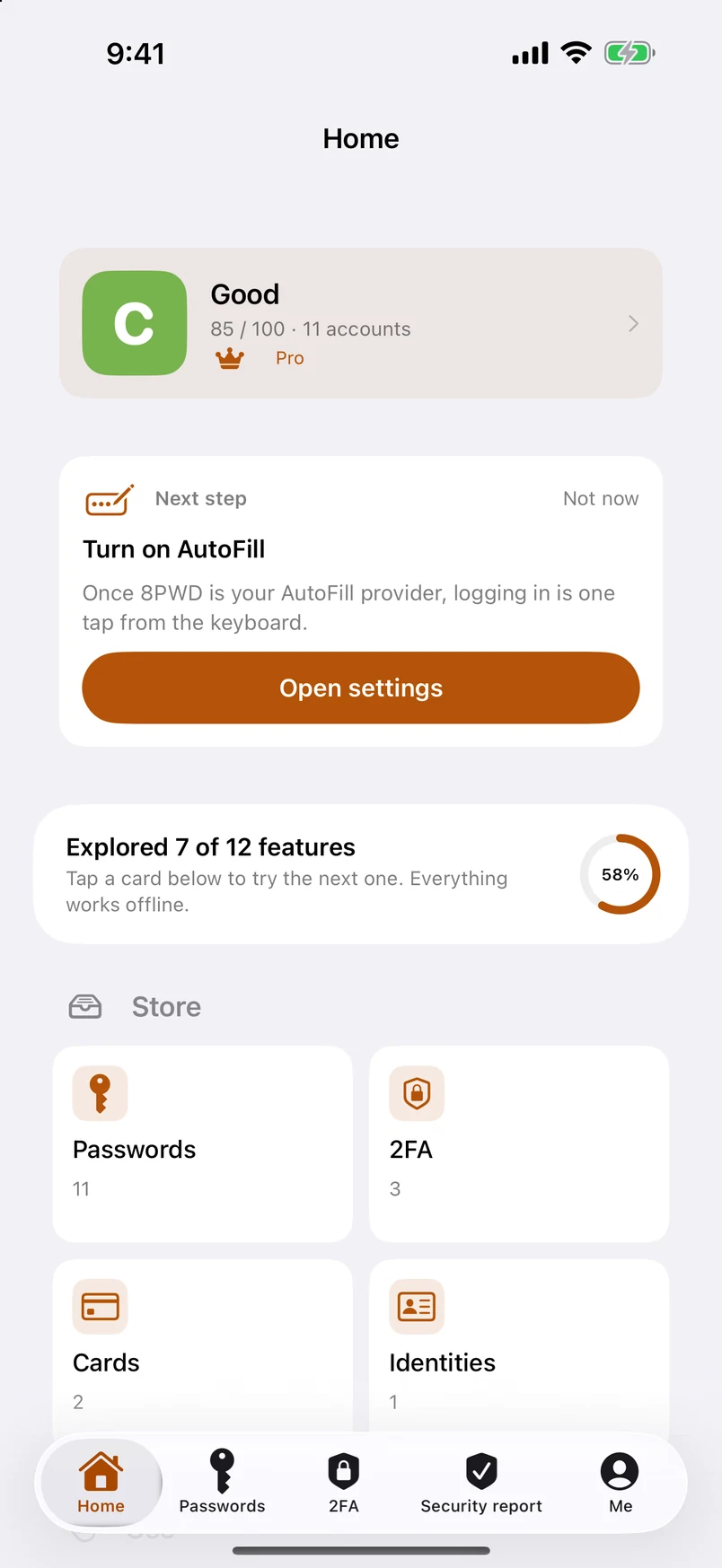
- A Home tabYour security grade, one “next step” card that changes as you fix things, how many of the twelve features you have tried, every feature as a card, and your recent accounts. The side drawers are gone — everything that lived there is on Home.
- Security check-up and badgesOne tap re-scans every password against a million leaked passwords and for weak, reused, out-of-date and no-two-step ones; compares with last time; awards eight badges. Share the result as an image — it never includes account names. How the score works.
- Account deletion guideWhere 2,100+ sites hide the delete button, with a difficulty rating, instructions in your language, a link to the site's own page and ready-made GDPR / CCPA letters. Each account shows “How to delete this account”. Browse it here — 8PWD shows the way; it never deletes for you.
- Passkeys, on deviceCreate passkeys for websites and apps and sign in with Face ID. The private key never leaves this device and only travels inside encrypted backups. A list shows which of your sites already support them (400 sites). Passkeys explained.
- Bank cards and identitiesScan a card with the camera, get an expiry warning, fill number, expiry and security code from the keyboard. Identities hold several emails, phones, addresses and documents each — with expiry reminders — and fill sign-up and checkout forms field by field.
- Brand icons and categories3,400+ website logos bundled offline, with a category symbol as fallback; tap an icon to change it. Accounts grouped by category, finance fields (IBAN, account number) and country-specific field names (HKID, My Number, Steuer-ID, CPF…) preset.
- Move or merge to another deviceSend your whole vault by AirDrop as one encrypted file with a 6-digit code; the other device merges it with a short wizard — identical records skipped, newer passwords kept, the rest added. Still no server, by design.
- Thirteen languages, right-to-left includedArabic, Hebrew and Russian join the ten; PDFs are mirrored correctly; switching between right-to-left and left-to-right relayouts the whole app. Plus a “How to prove 8PWD is offline” page, an Emergency Kit PDF, 2FA codes in the Dynamic Island and settings search.
3.1 in twenty seconds
Home tab, check-up, passkeys, cards and the deletion guide — in twenty seconds
Version 3.1 for iPhone, iPad and Mac. A Home tab that shows your grade and every feature; a check-up with badges; passkeys that stay on your device; cards and identities filled from the keyboard; where 2,100+ sites hide their delete button.
Made from the actual app screens; no sound. 3.1 reaches the App Store in October 2026; until then both stores have 2.0.
Three steps
- 1
Start in ten seconds
Open the app. On iPhone, keep Standard (preselected) or pick Easy Mode (big text, big buttons) and tap Continue; read the three short screens and tap Agree and continue. The vault is created on the spot, encrypted with a key generated on this device — nothing to memorise on day one, and no Face ID prompt until you turn one on under Security. When you want a second lock, anti-theft encryption adds a master password and a 12-word recovery phrase you can print or save as a PDF. The app speaks your device's language from the first screen.
- 2
Bring your passwords in
Import from Apple Passwords, Chrome, Edge, Brave, Firefox, Bitwarden, 1Password, KeePass, LastPass, Dashlane, NordPass, Proton Pass, Enpass, a
.csv, or a.8pwdbackup. Every import shows a preview with counts first, and entries identical to ones you already have are skipped — so running the same file twice does not double your vault. - 3
Turn on AutoFill
Settings › General › AutoFill & Passwords on iPhone and iPad, System Settings › General › AutoFill & Passwords on Mac, then switch on 8PWD. Signing in becomes: tap the field, Face ID or Touch ID, done. The app shows a banner with a direct link while this is still off, because the switch is buried.
What you get
- No networking code of its ownNot we promise not to upload — the app cannot. There is no server, no account, no analytics, no crash reporting and no third-party SDK. The one thing that ever touches the network is buying 8PWD 2026 Pro, and that is Apple's StoreKit talking to Apple in Apple's own process — we receive nothing from it. Airplane Mode changes nothing about how the vault works.
- iPhone, iPad and Mac — each done properlyOn iPhone, a Home tab that shows your grade and every feature, plus tabs you arrange yourself. On iPad, a sidebar with two-column lists that adapt to the width and to Split View. On Mac, a sortable table with an inspector, keyboard shortcuts, drag and drop, several windows, and Touch ID to unlock. One purchase of Pro covers all three on the same Apple ID.
- Encrypted where it mattersPasswords, two-factor secrets, notes, deleted items and password history are stored as AES-256-GCM ciphertext. Names, field labels and folder names stay readable so search works instantly — a deliberate trade, and one we would rather state than hide.
- One key, up to three locksA random 256-bit data key encrypts your vault. On a fresh install it sits in this device's Keychain, so the vault opens as soon as the device is unlocked; turn on Face ID or Touch ID for the app under Security if you want a prompt every time. Turn on anti-theft encryption and a master password wraps a copy of that key; the 12-word recovery phrase wraps another. We hold none of them, there is no master key and no escrow — we could not open your vault if a court asked us to.
- Easy Mode, for parents and grandparentsChoose it on first launch or under Me › Appearance › Easy Mode / Standard. Big text, big input fields, and four equal buttons at the bottom: add a password, print all, import, export. Language, Standard and More sit right under the title; a visible scroll bar shows there is more below. Every feature of Standard is still one tap away under More › Advanced features, custom fields included, and the vault is the same one — switch back and forth as often as you like.
- Make it yoursEleven color schemes — Amber, Navy, Crimson, Emerald, Gilt, Graphite, Violet, Azure, Teal, Rose and Mocha — change the accent color of the whole app; tap one in the list and it changes on the spot, before you decide (Pro). Text size under Me › Appearance is a list of sizes that resizes everything, with its own range for Easy Mode (on Mac, text size follows System Settings › Displays). Both have a “Reset to default” row.
- Two-factor codes built inStandard TOTP (RFC 6238), generated on device. Scan the QR code, import a screenshot, paste an
otpauth://link, or move your whole Google Authenticator library across in one batch. Link a code to an account and it shows up right on the row. A Home Screen and Lock Screen widget shows your pinned codes — with a privacy mode that shows names only until you tap. - A security grade from A to J, checked offlineFive things cost points — passwords found in a public leak (up to 40, checked against a million leaked passwords bundled in the app), weak ones (20), reused ones (20), long unchanged (10), and no two-step verification where the site supports it (10). Each is scored in proportion to how many entries it affects, so fixing a handful always moves the number; accounts you sign in to with a passkey are never penalised. The number becomes a grade from A to J — a letter is easier to remember than “73” — with a month-by-month trend line, a one-tap check-up with eight badges, and a PDF report you can export. Every item says “Checked on this device · no internet”. How it works.
- Passkeys, cards and identities — on deviceCreate passkeys for websites and apps and sign in with Face ID; the private key never leaves this device and travels only inside encrypted backups. Store bank cards (camera scan, expiry warnings) and identities with several emails, phones, addresses and documents, and fill any field from the keyboard — number, expiry, security code, name, address, ID number. Passkeys explained · Filling from the keyboard.
- Leaving a site? The exit is markedAn account deletion guide covering 2,100+ websites: where the delete button hides, how hard it is, instructions in your language, a link to the site's own page and ready-made GDPR / CCPA request letters. Each account shows “How to delete this account” when the site is known. 8PWD shows the way; it never deletes anything for you. Browse the guide.
- Members: whose password is thisOne person managing a family’s passwords creates a member for each — Me, Sam, Mum. Switch to a member and the list, groups and grade show only theirs; “All accounts” shows everything. Members have no passwords and no login; they are local labels. When a child gets their own phone, export just their share and hand it over.
- Search that understands youSearch matches account names and every field, ignores accents and full-width characters, and understands Pinyin — full or initials — for Chinese names. Account names (never secrets) can also be found from Spotlight, and Home Screen quick actions jump straight to a new password, a 2FA scan or search.
- Wi-Fi passwords with QR codesHome, office and family Wi-Fi live in their own module, each with a standard QR code: hand your phone to a guest, they scan, they’re online — nobody reads a password aloud. Scan the code on a router to save it. Wi-Fi networks don’t count towards the free limit.
- Groups that keep themselvesFolders and subfolders you arrange, plus smart groups that are really live queries: weak, reused, long unchanged, empty, and exact duplicates. The duplicates group has a keep one of each button that tells you what it will remove before it does it.
- Backups you actually ownExport a
.8pwdfile — plain by default, or encrypted with a backup password when you switch Encrypt this backup on. A plain export is XML underneath, so your data is never locked inside this app. Scheduled local backups run daily, weekly, monthly or on an interval you set, and a local reminder nudges you when nothing has been exported for 30 days. - Free for ten. Pay once for the rest.The free plan keeps every feature and stores up to 10 passwords. 8PWD 2026 Pro lifts the limit. Lifetime is a single purchase — nothing to renew, Family Sharing with up to six family members, one purchase for iPhone, iPad and Mac. Prefer to subscribe? Yearly comes with a 7-day free trial and Family Sharing too; Monthly is there as well. Prices are whatever your App Store shows. If a subscription ends nothing is deleted: above the limit the vault simply becomes read-only, and viewing, searching, copying and AutoFill keep working.
- Careful with the clipboardA copied password clears itself after 30 seconds and never travels to your other Apple devices through Universal Clipboard. That is not a setting you can weaken; it is how copying works here.
One app, three shapes
The same vault format, the same encryption and the same features on all three — but each platform gets its own layout rather than a stretched phone screen.
iPhone
A Home tab with your grade and every feature, tabs you arrange, AutoFill, widgets, quick actions — or Easy Mode, with big text and three buttons. Everything fits in one hand.
iPad
A sidebar, two-column lists that adapt to Split View, two-column first-launch and Pro pages, and sheets sized for the larger screen.
Mac
A sortable table with an inspector and batch actions, a ribbon with a Settings tab, keyboard shortcuts, drag and drop, several windows, Touch ID, and Safari AutoFill.
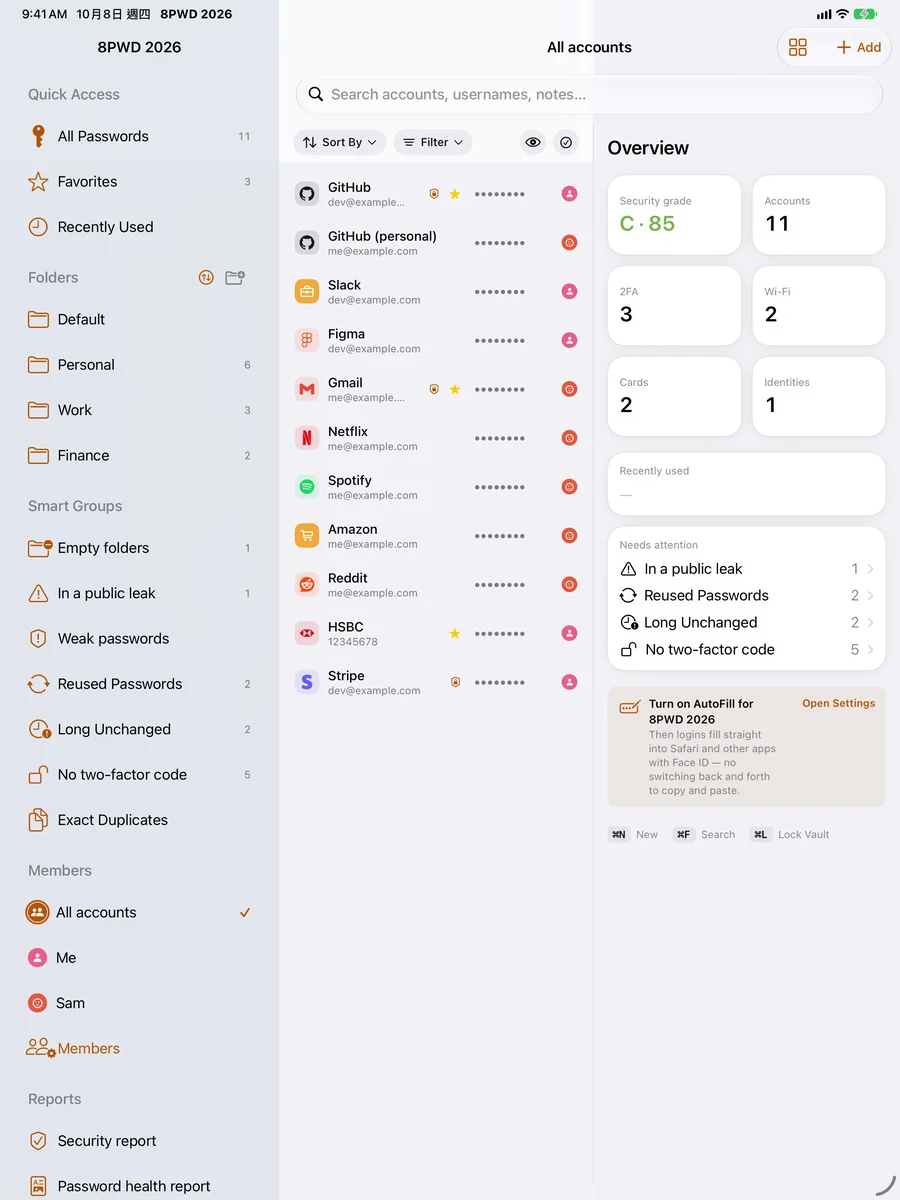
iPad: the Home tab 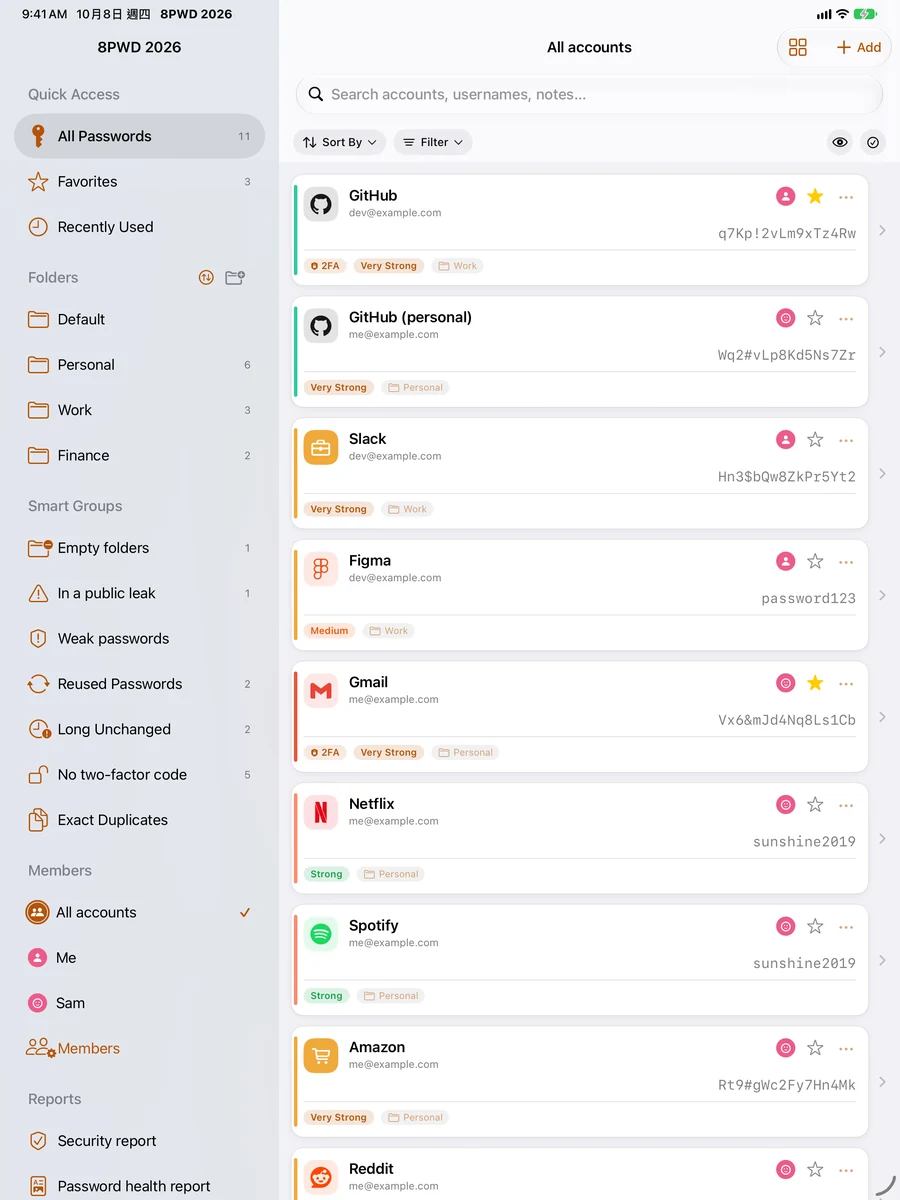
iPad: sidebar and two-column list 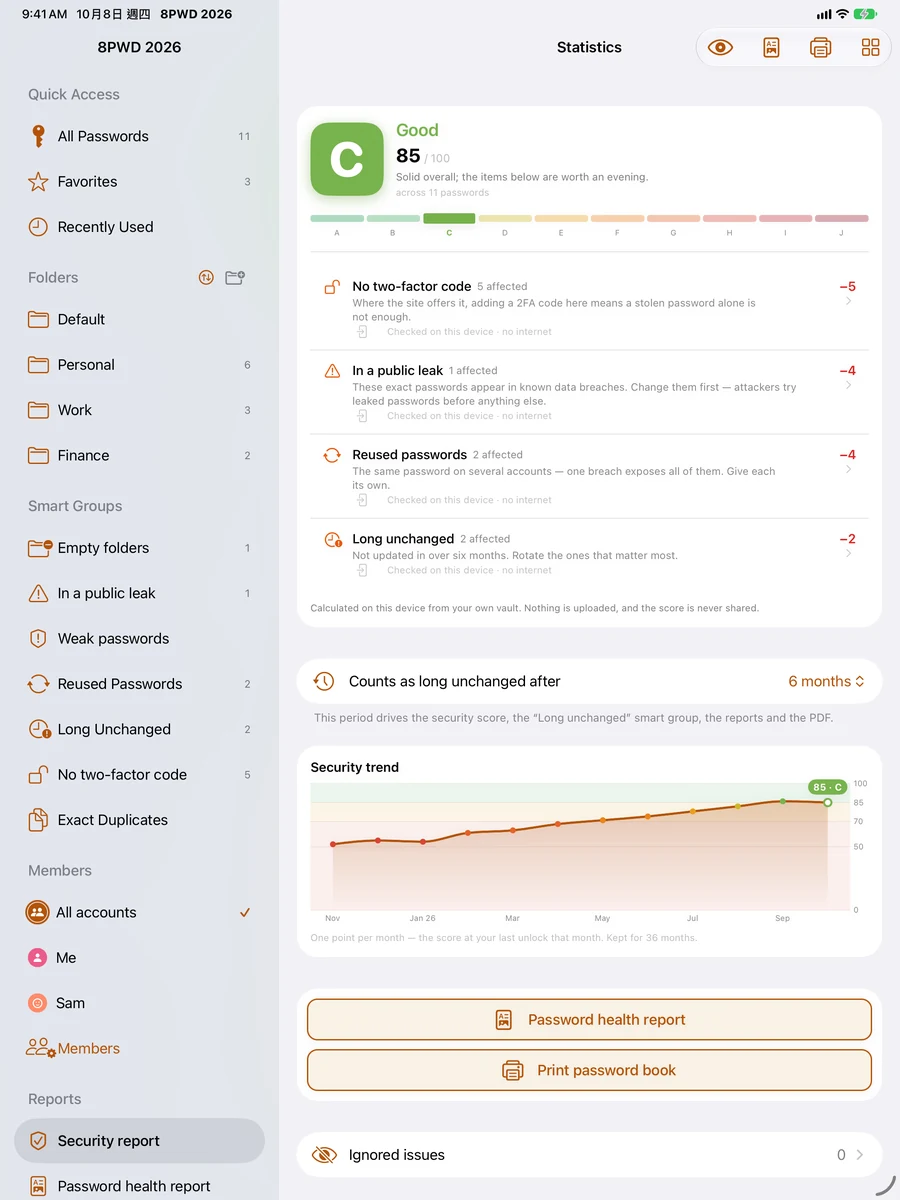
iPad: the security report
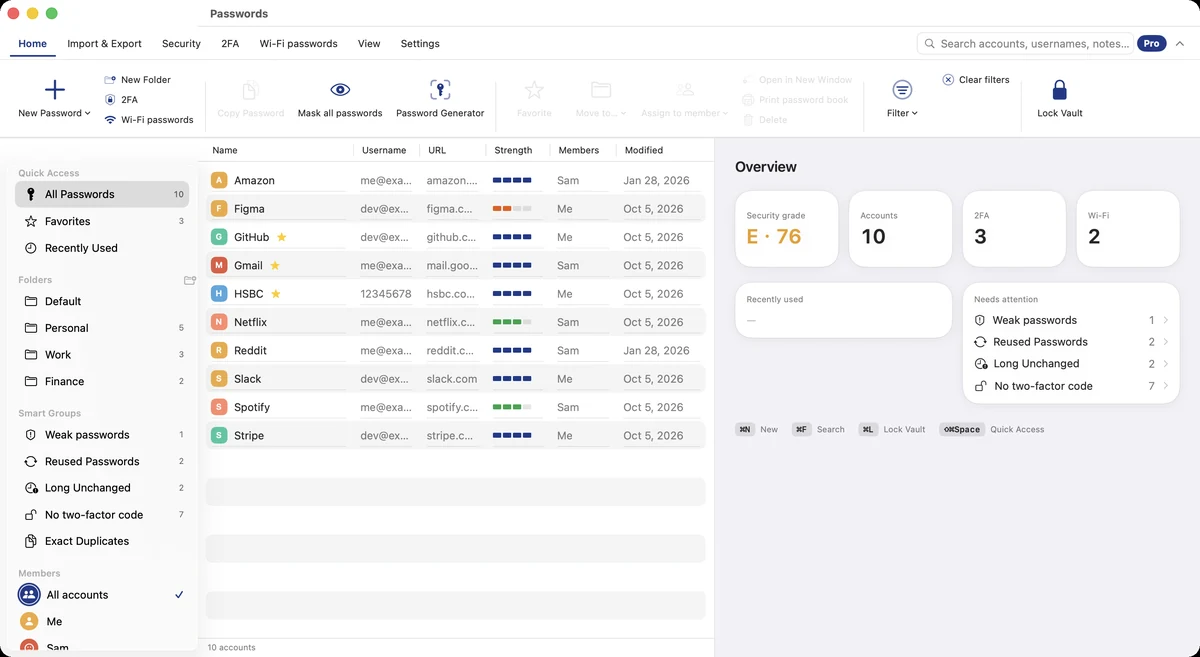
Mac: table and inspector 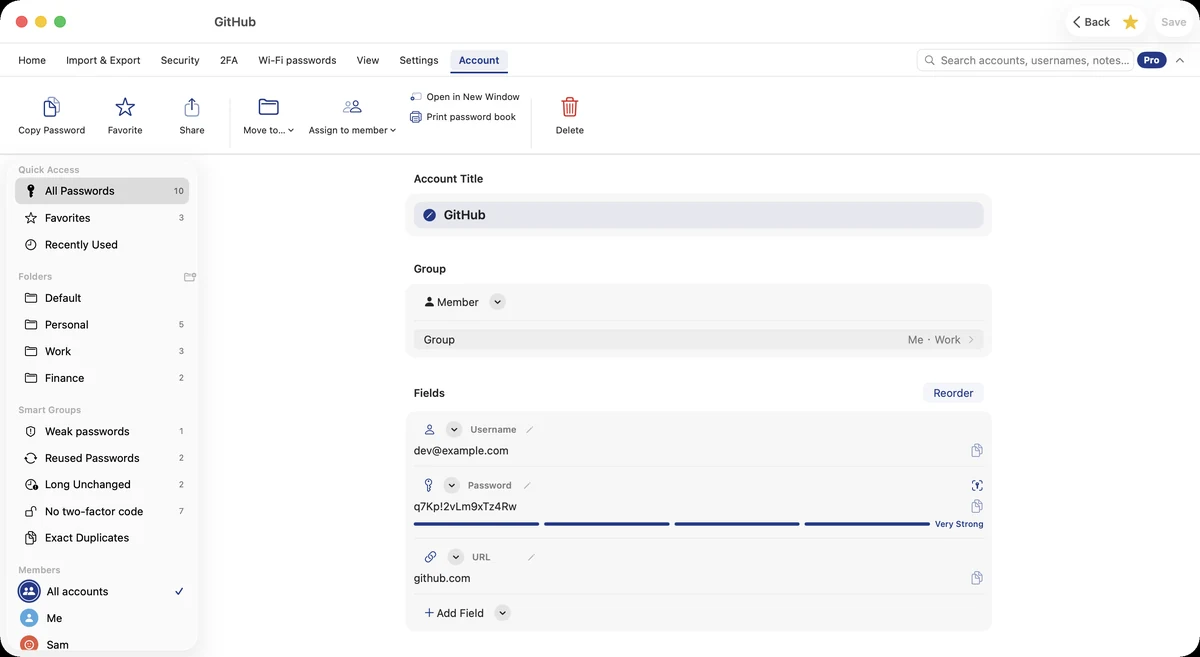
Mac: an account in the inspector 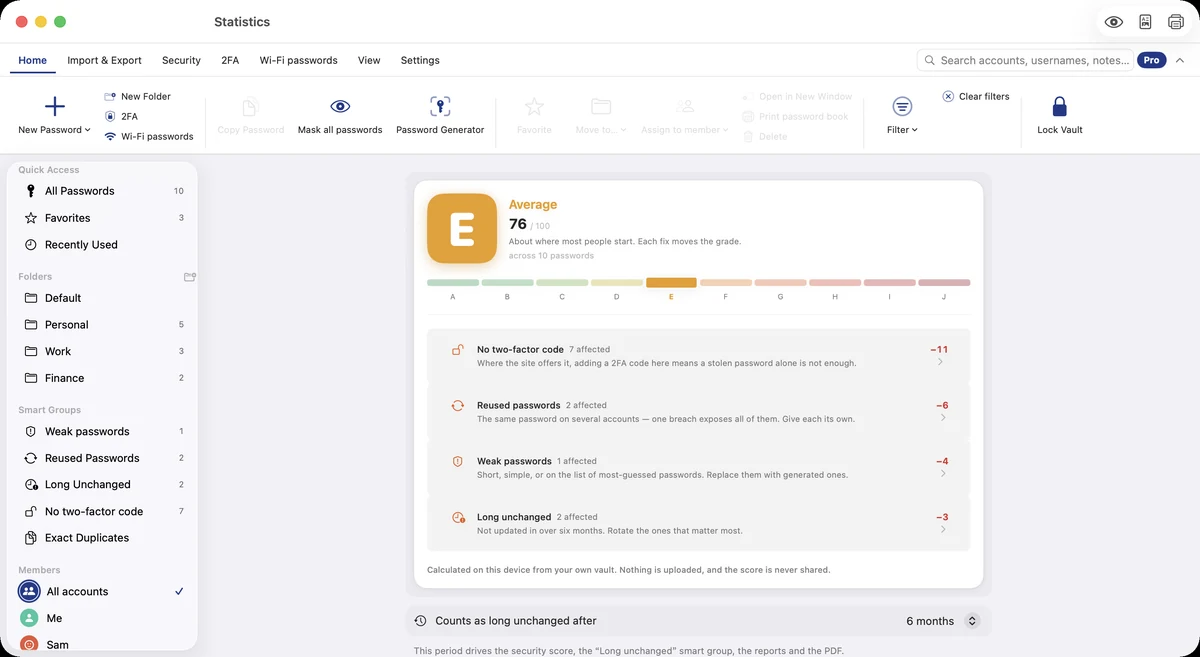
Mac: the security report
Don't take our word for it
"No networking code of its own" is the claim everything else rests on. You do not have to trust us on it — iOS gives you two checks you can run yourself, and most apps would fail both.
Turn on Airplane Mode
Everything keeps working: unlocking, searching, editing, generating two-factor codes, importing, exporting. Nothing in the vault waits on a network, because nothing in it uses one. The one exception is buying or restoring 8PWD 2026 Pro — Apple's StoreKit does that, and it needs Apple.
Open the App Privacy Report
Settings › Privacy & Security › App Privacy Report. iOS records every domain each app contacts. Use 8PWD for a week, then look it up. The app has no domains to show — a purchase is made by Apple's own system process, not by 8PWD.
Privacy, in one paragraph
8PWD collects nothing, and it could not if it wanted to: there is no networking code of its own in the app. The one network activity — the optional 8PWD 2026 Pro subscription — is carried out by Apple's StoreKit, and we receive none of it, not even a receipt. Everything you enter lives in a local database on your device. Secret values, notes, password history and the trash are encrypted with AES-256-GCM under a key generated on your device and kept in its Keychain; once you set a master password, that password (600,000 rounds of PBKDF2-HMAC-SHA256) and your 12-word recovery phrase protect the key as well. We never see that key, and there is no way for us to derive it. That cuts both ways — with no account there is no recovery through us, which is why the app offers anti-theft encryption with a printable recovery phrase, and why it keeps reminding you to export a backup.
What 8PWD 2026 deliberately does not do
- No cloud sync. Moving between devices means a backup file you control. Why no sync explains the trade and walks through the move.
- No account, no login server. There is nothing on our side to breach, because there is nothing on our side.
- No analytics, advertising or crash reporting. No third-party SDKs of any kind.
- Nothing is sent between members. A member is just a label on one device for whose password this is — no login, no sync.
- No passkey cloud. Passkeys are created on this device and stay here; they travel only inside encrypted backups you make. Passkeys explained.
- No Siri. Reading a password aloud to an assistant is not something we want to make easy.
- No account, even for Pro. The purchase lives on your Apple ID with Apple, not with us.
Screens
Home: your grade, the next step, every feature as a card 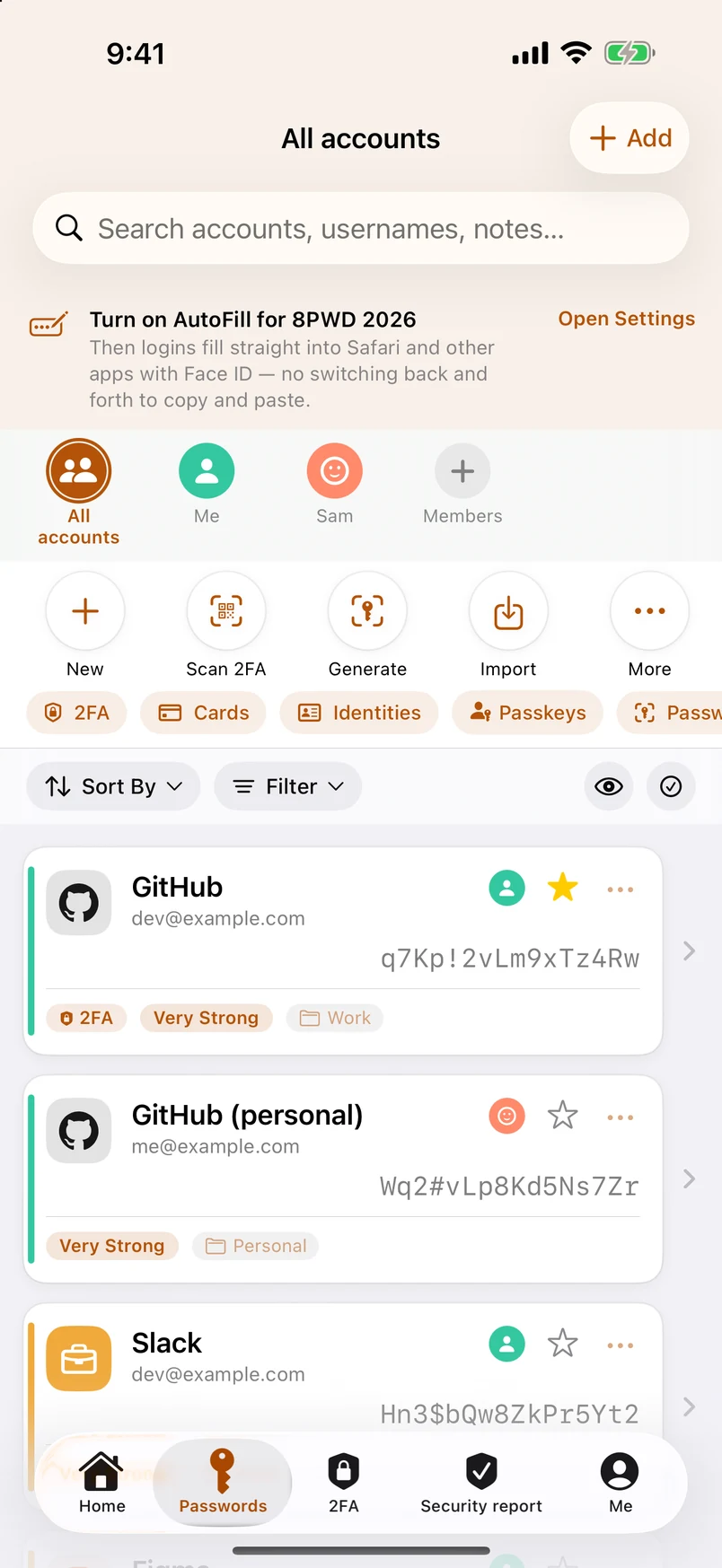
The list: brand icons, strength, two-factor badge 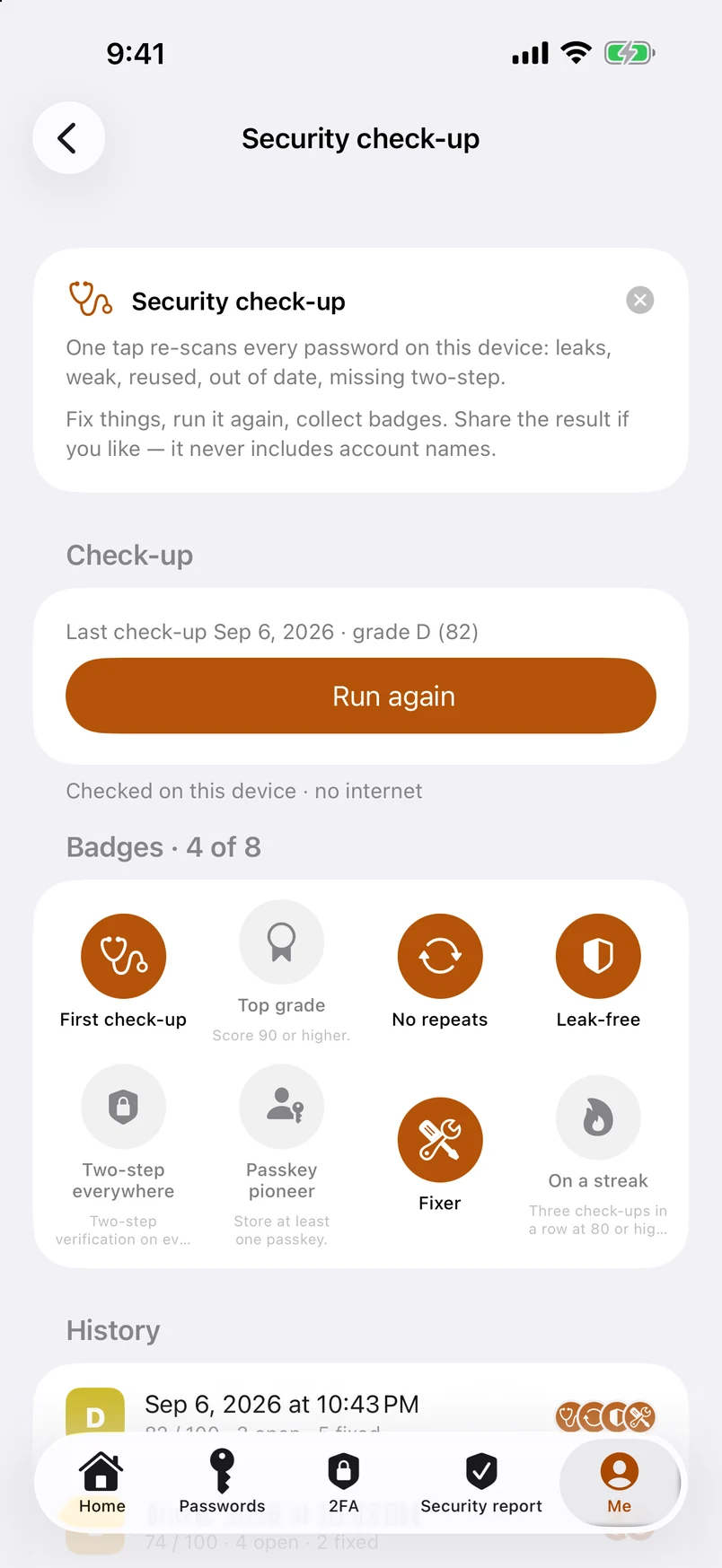
Security check-up: badges and history 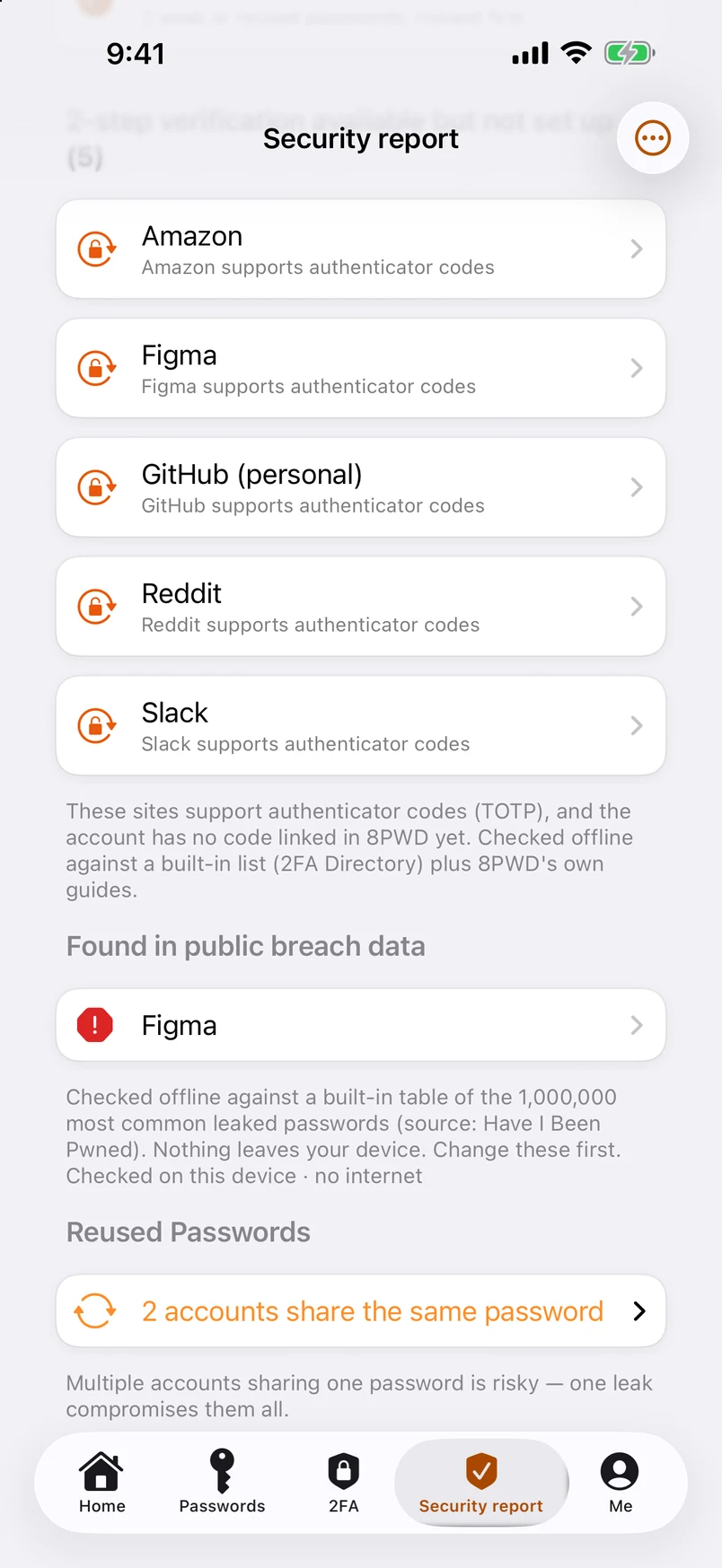
Leaked passwords, checked against a million — offline 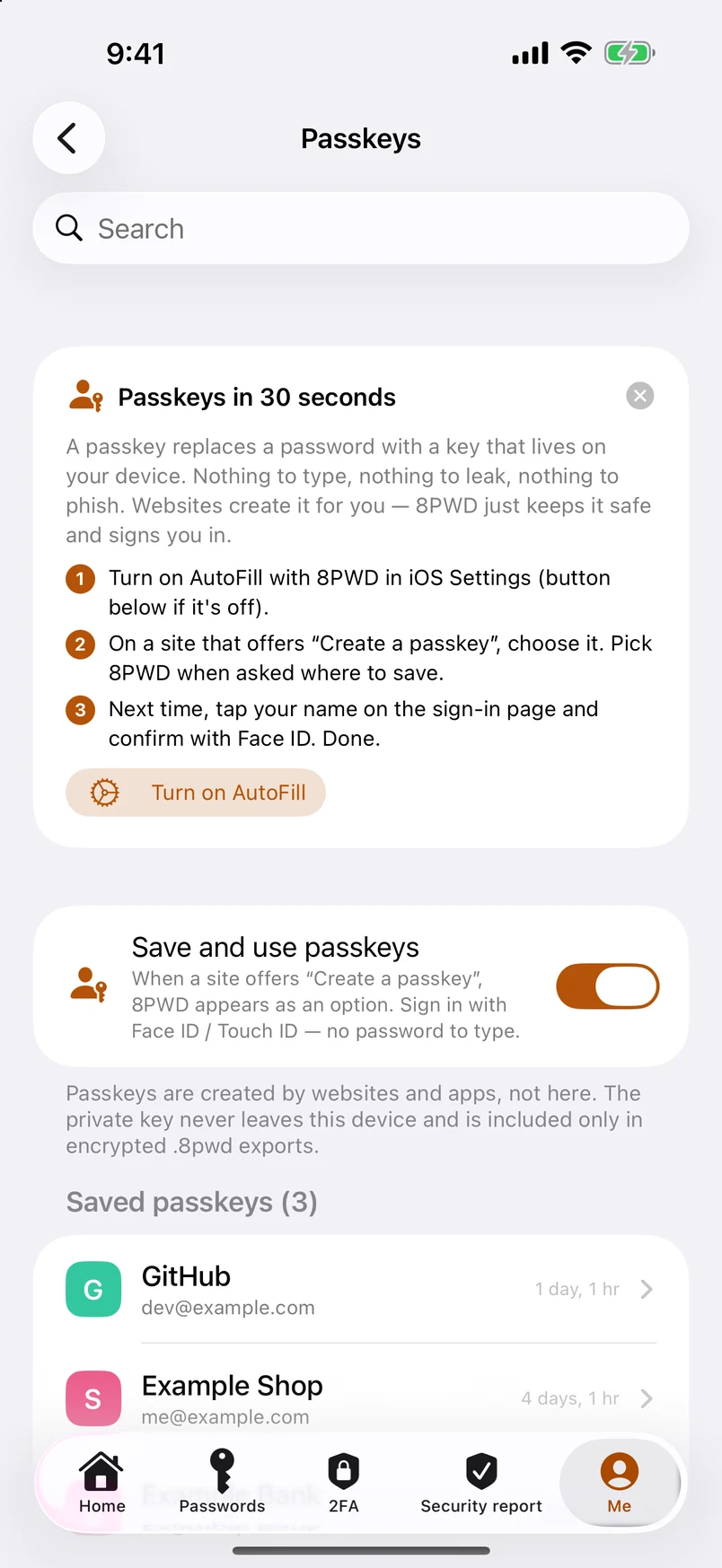
Passkeys: created here, kept here 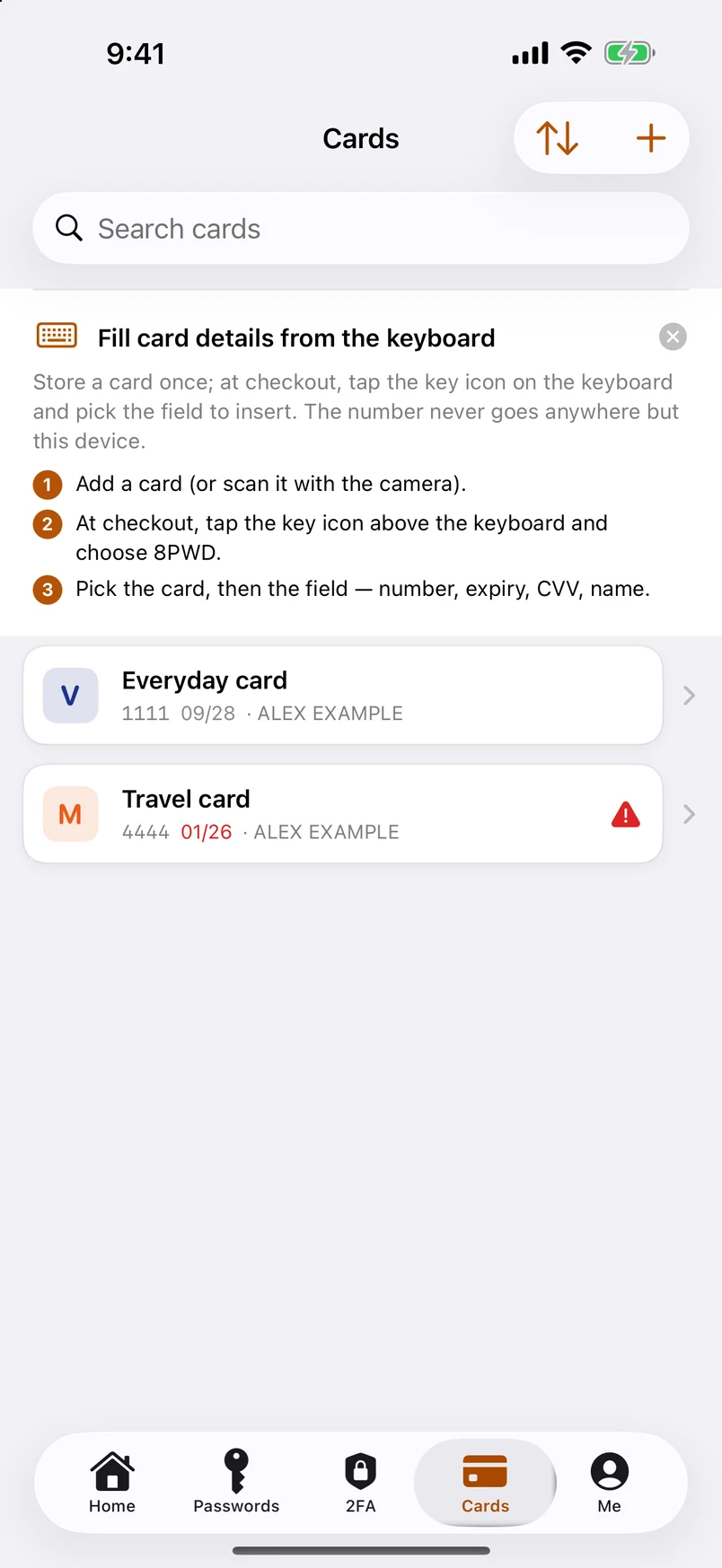
Bank cards: scan, check, fill from the keyboard 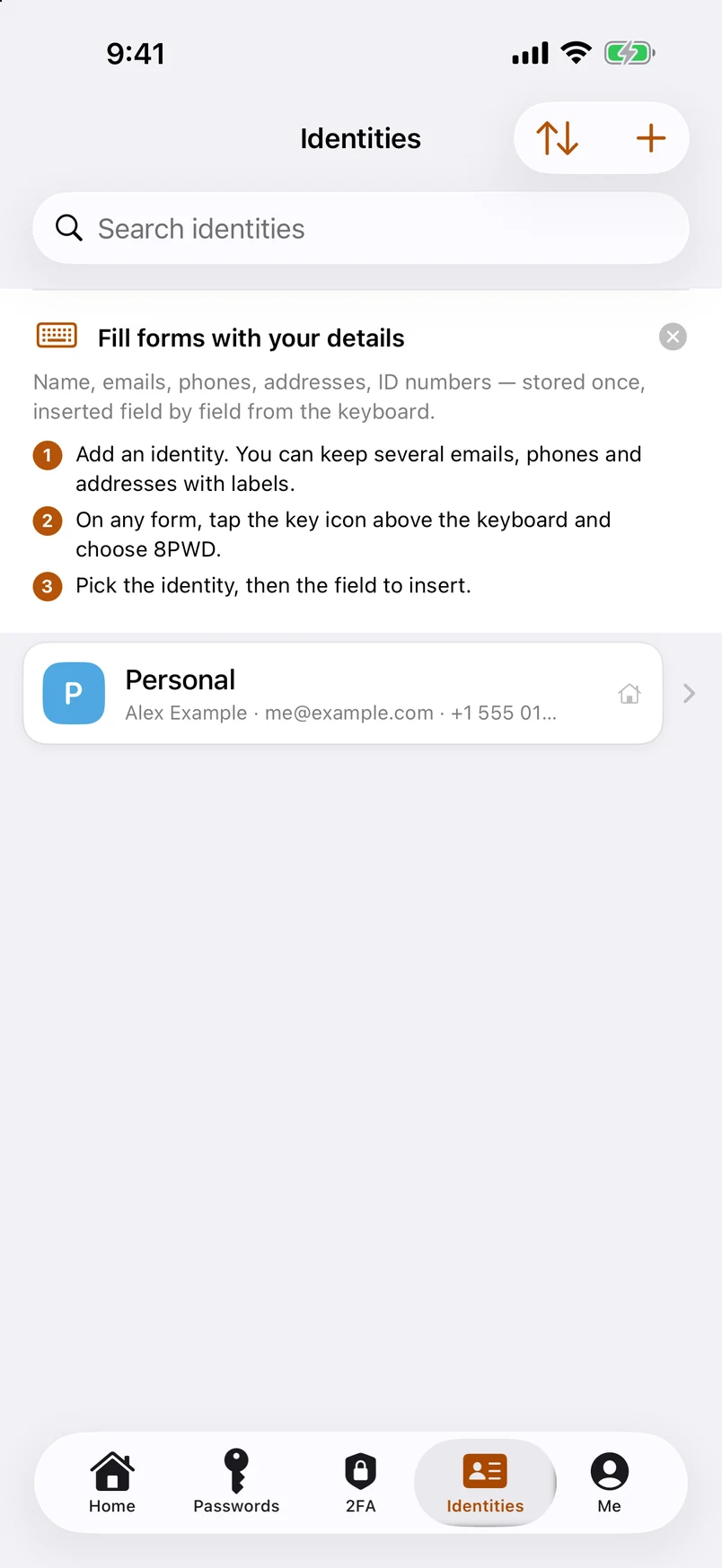
Identities: several emails, phones, addresses and documents 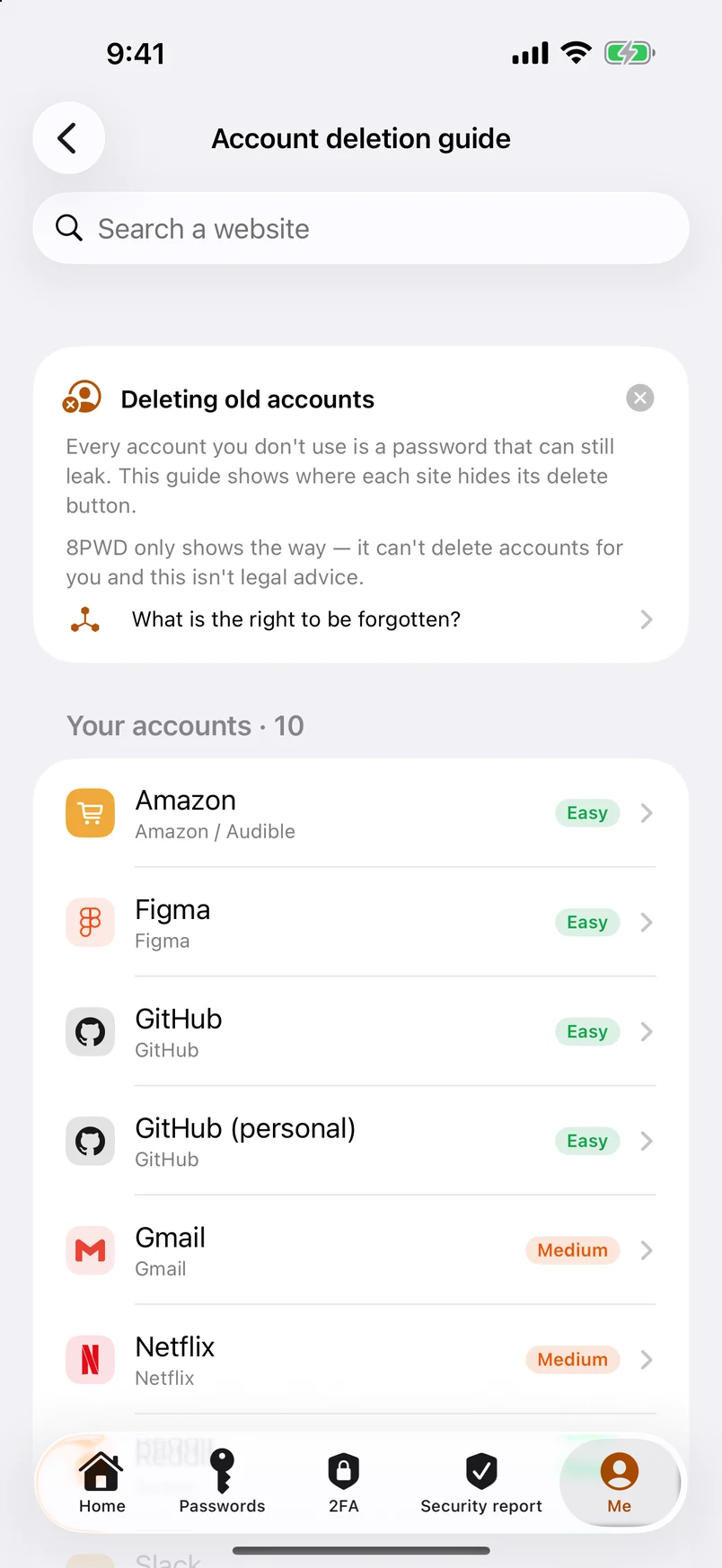
Account deletion guide: where 2,100+ sites hide the button 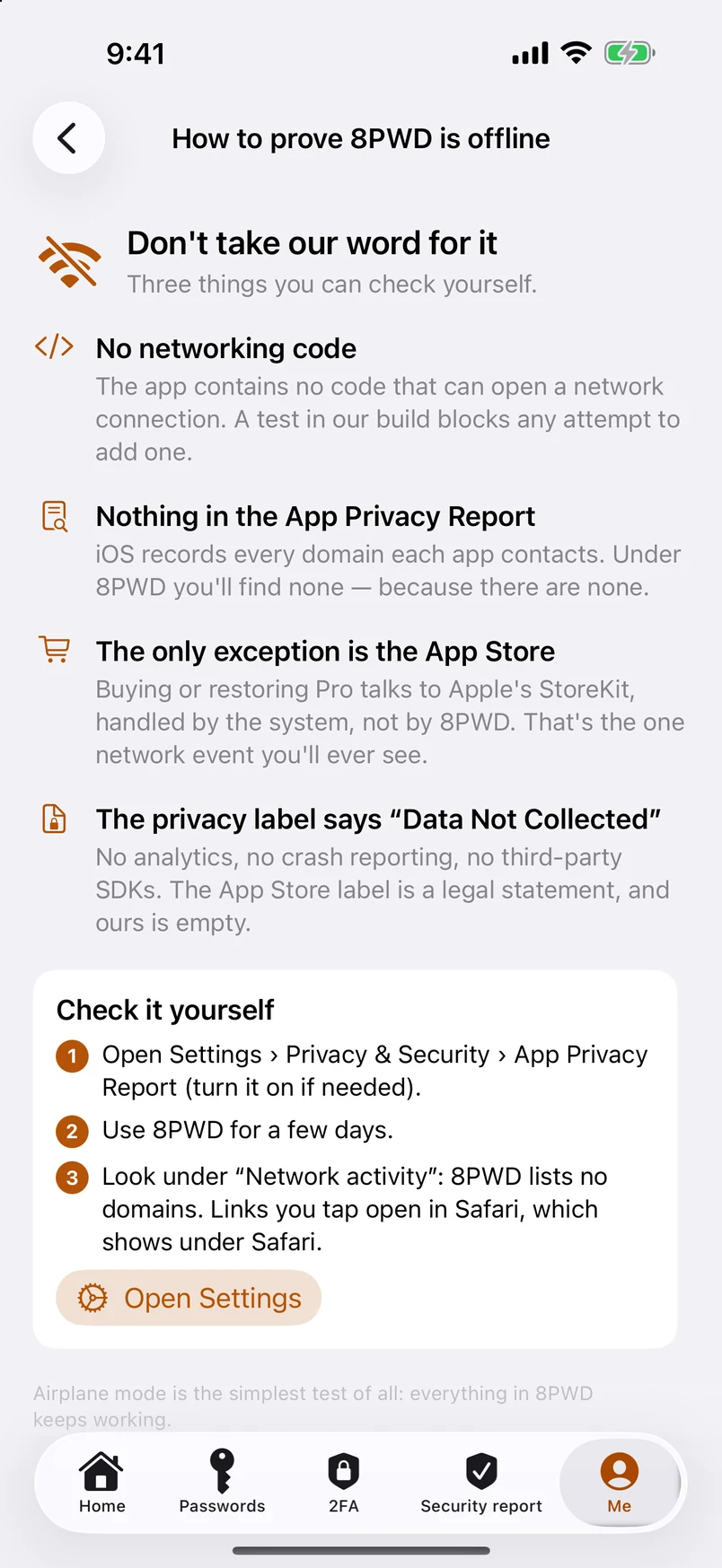
How to prove 8PWD is offline 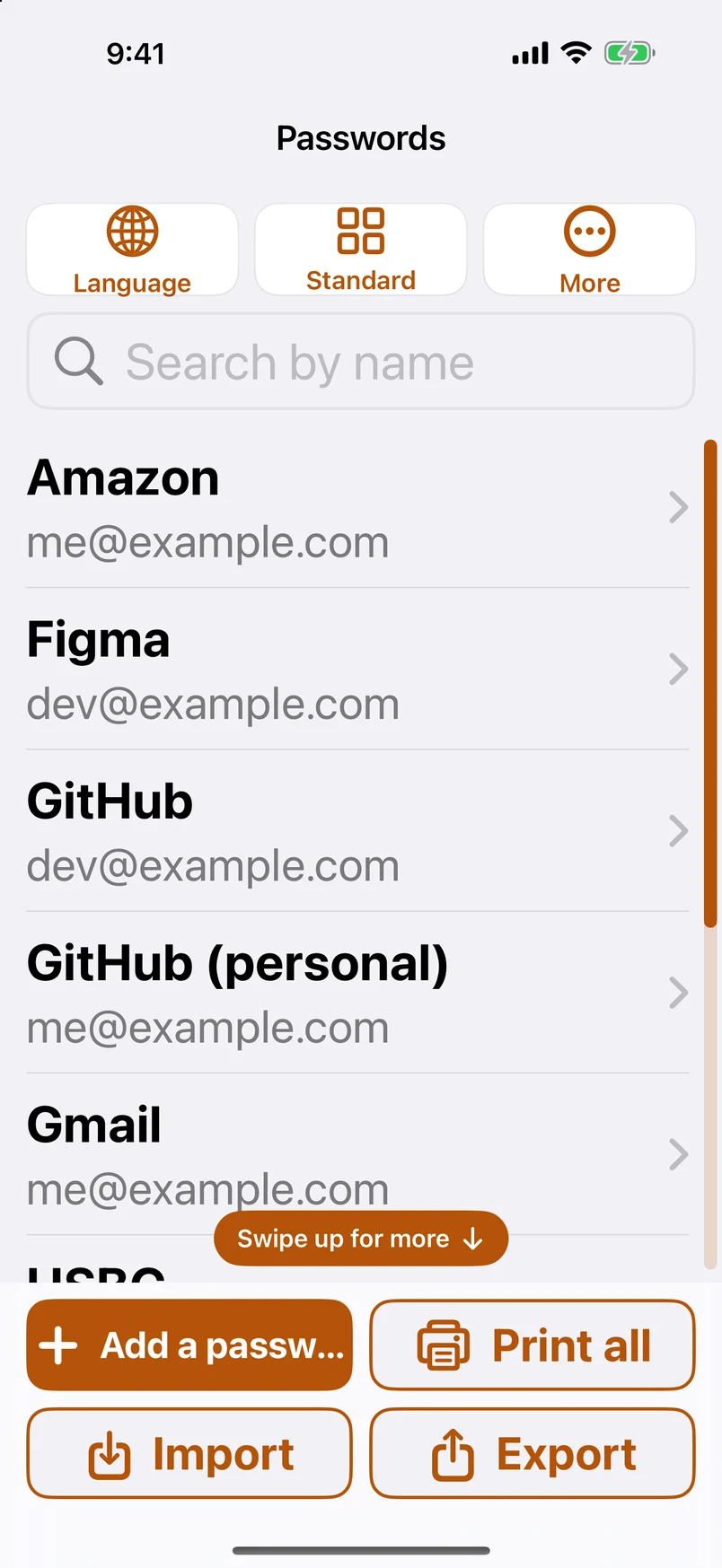
Easy Mode: big text, big buttons, a scroll bar you can see 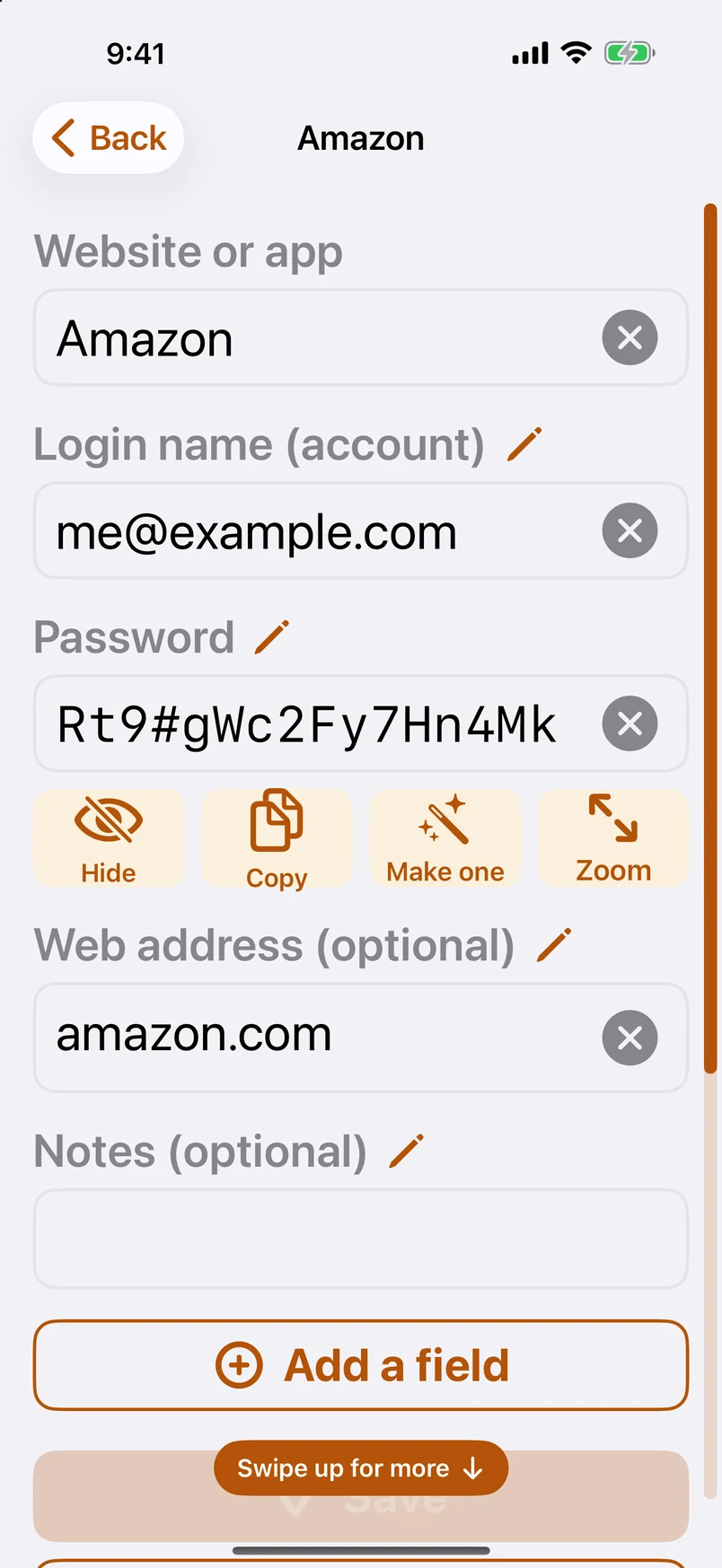
Easy Mode: one password, one screen 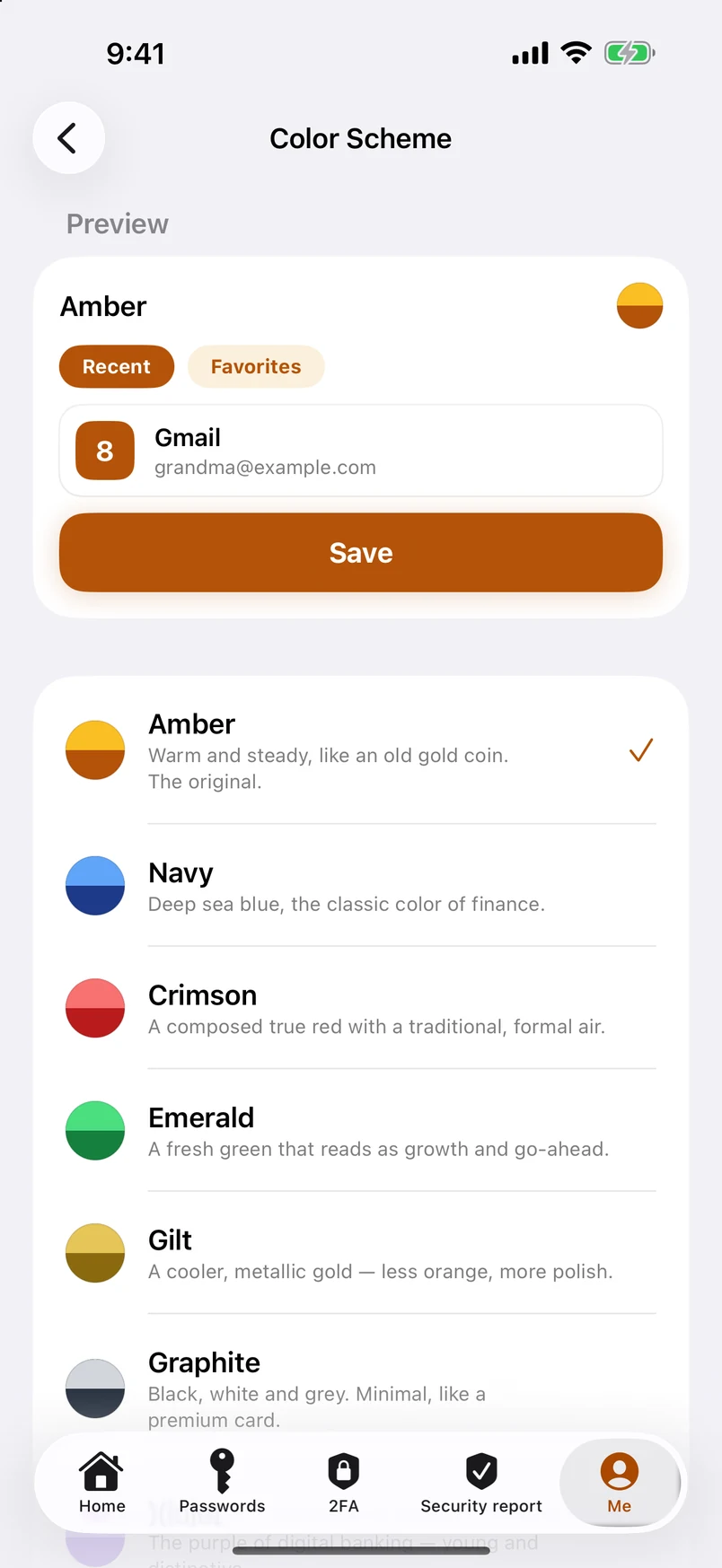
Color schemes: a list of eleven, tap one and the app changes on the spot 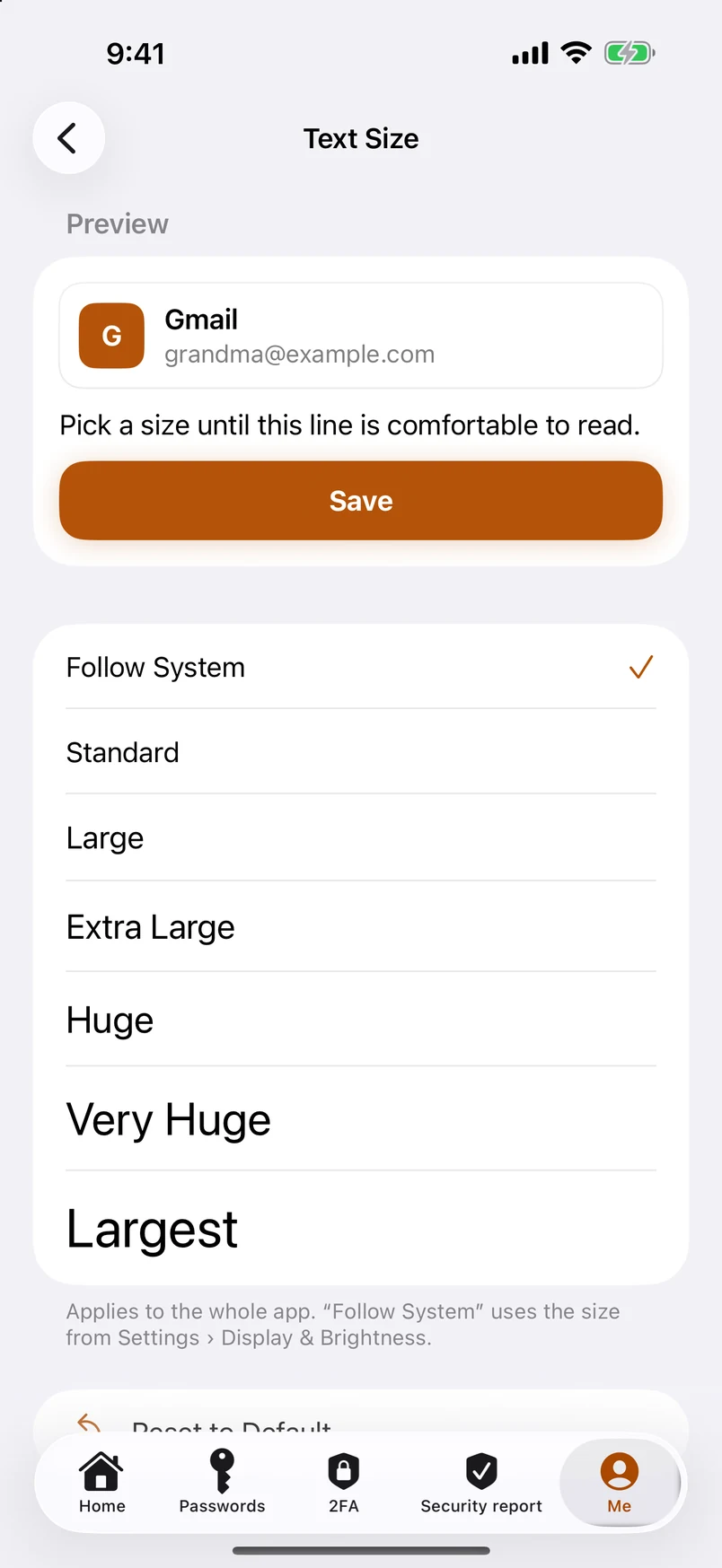
Text size for the whole app 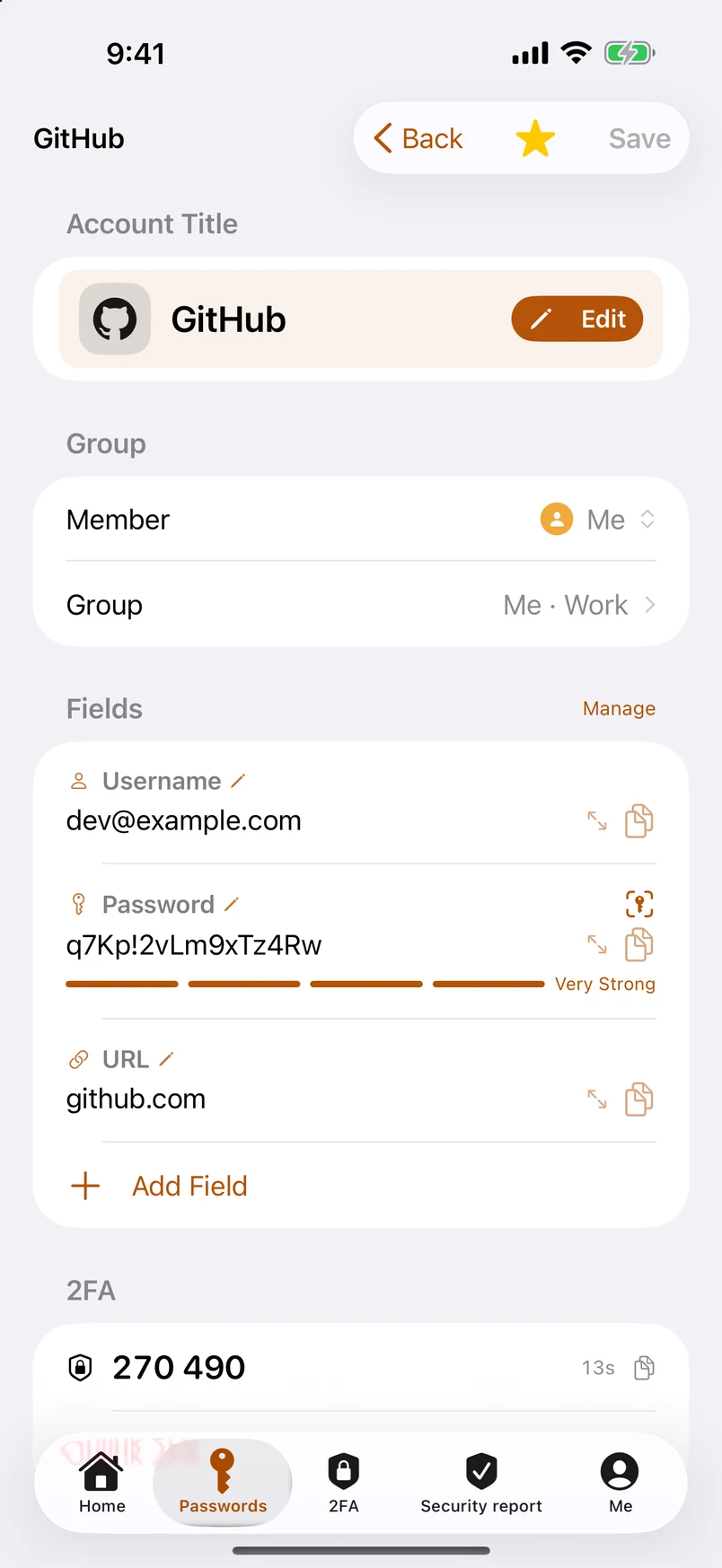
Detail: member, group, every field title editable 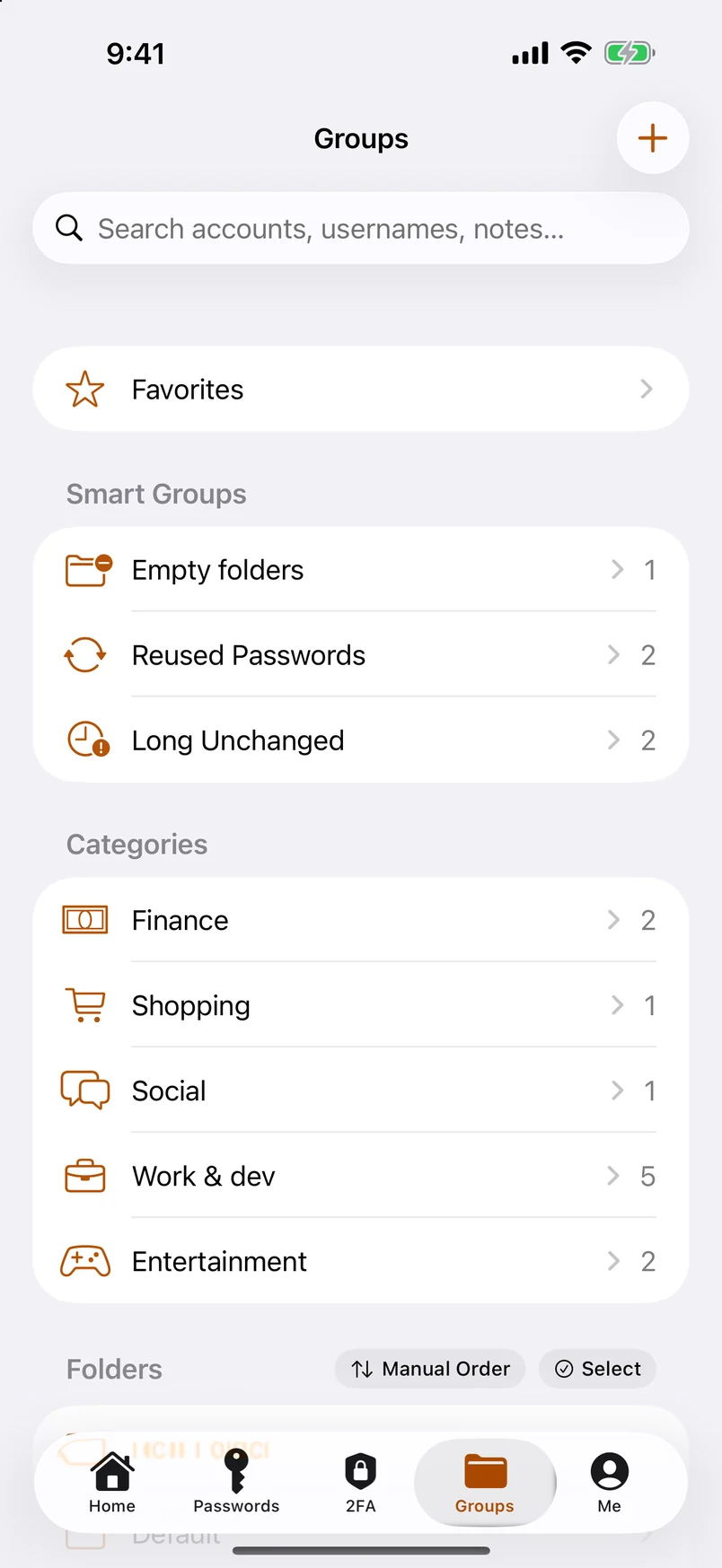
Folders, tags and smart groups 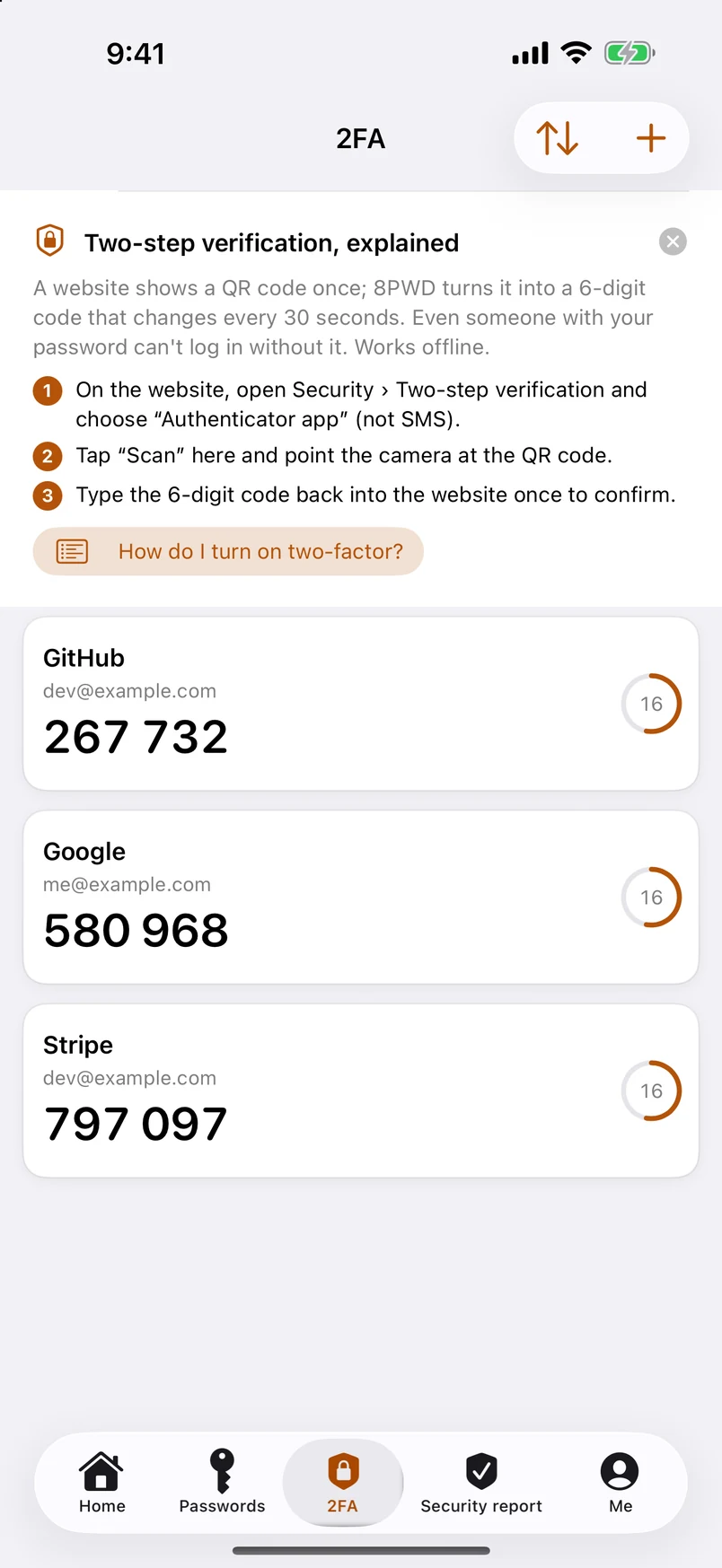
Two-factor codes, generated on device 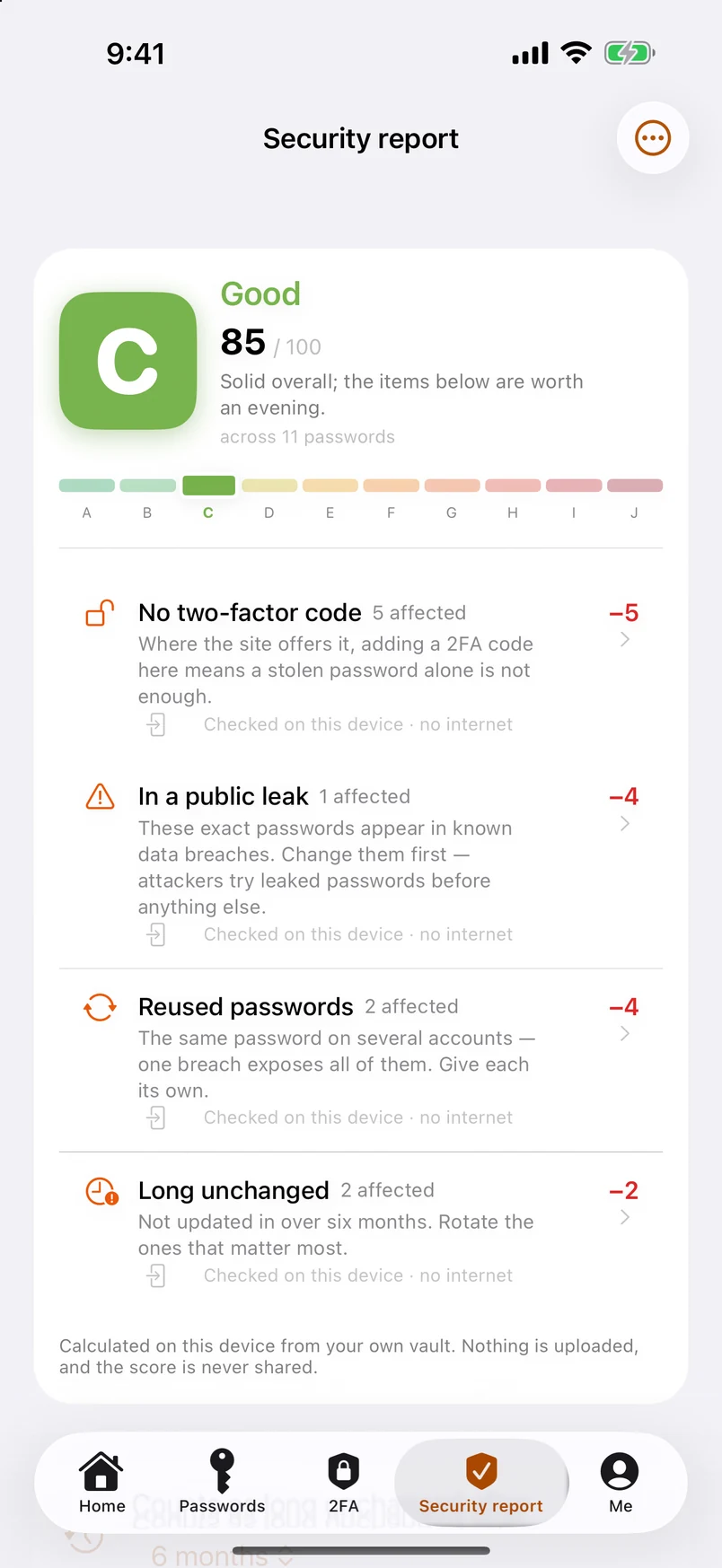
Security report: A–J grade, with every deduction listed 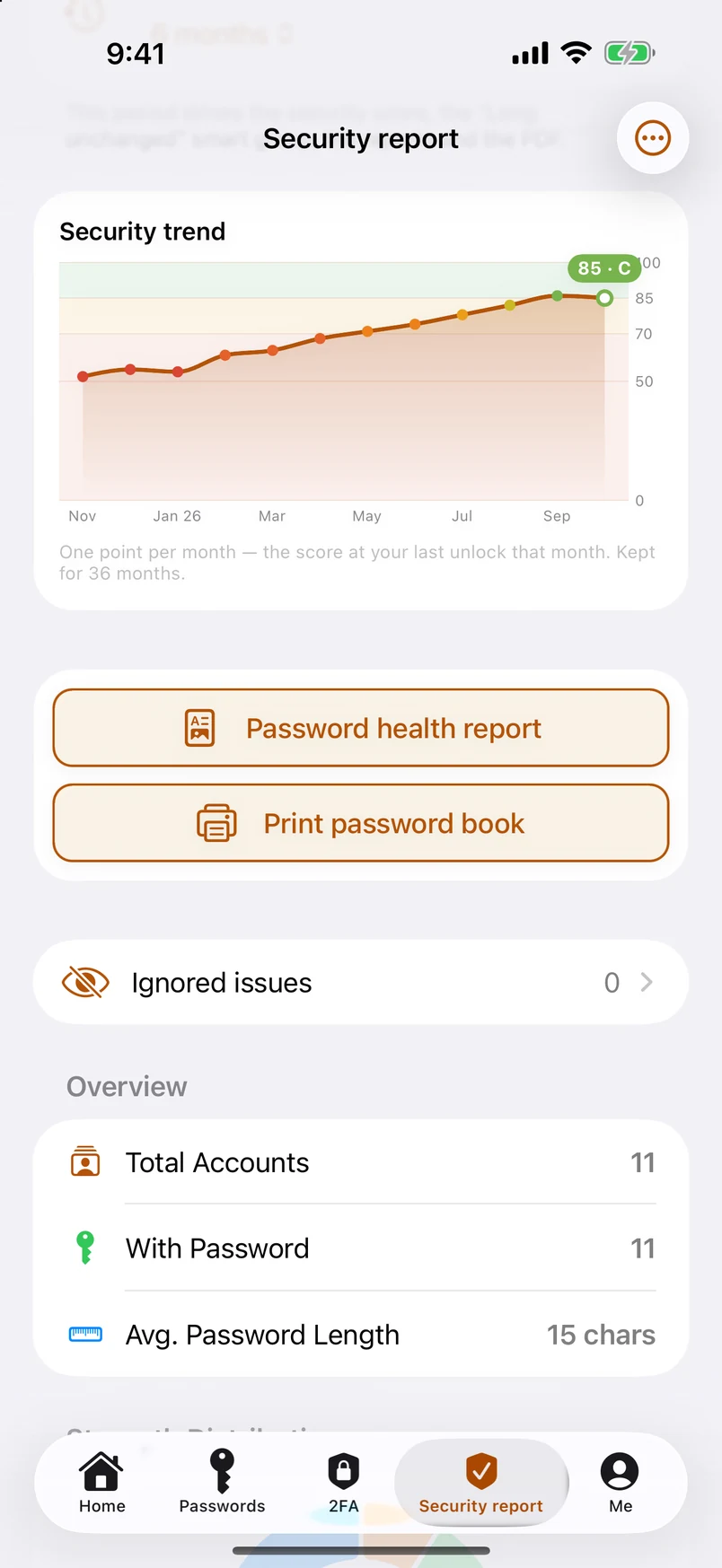
The security trend, with the two highlight buttons 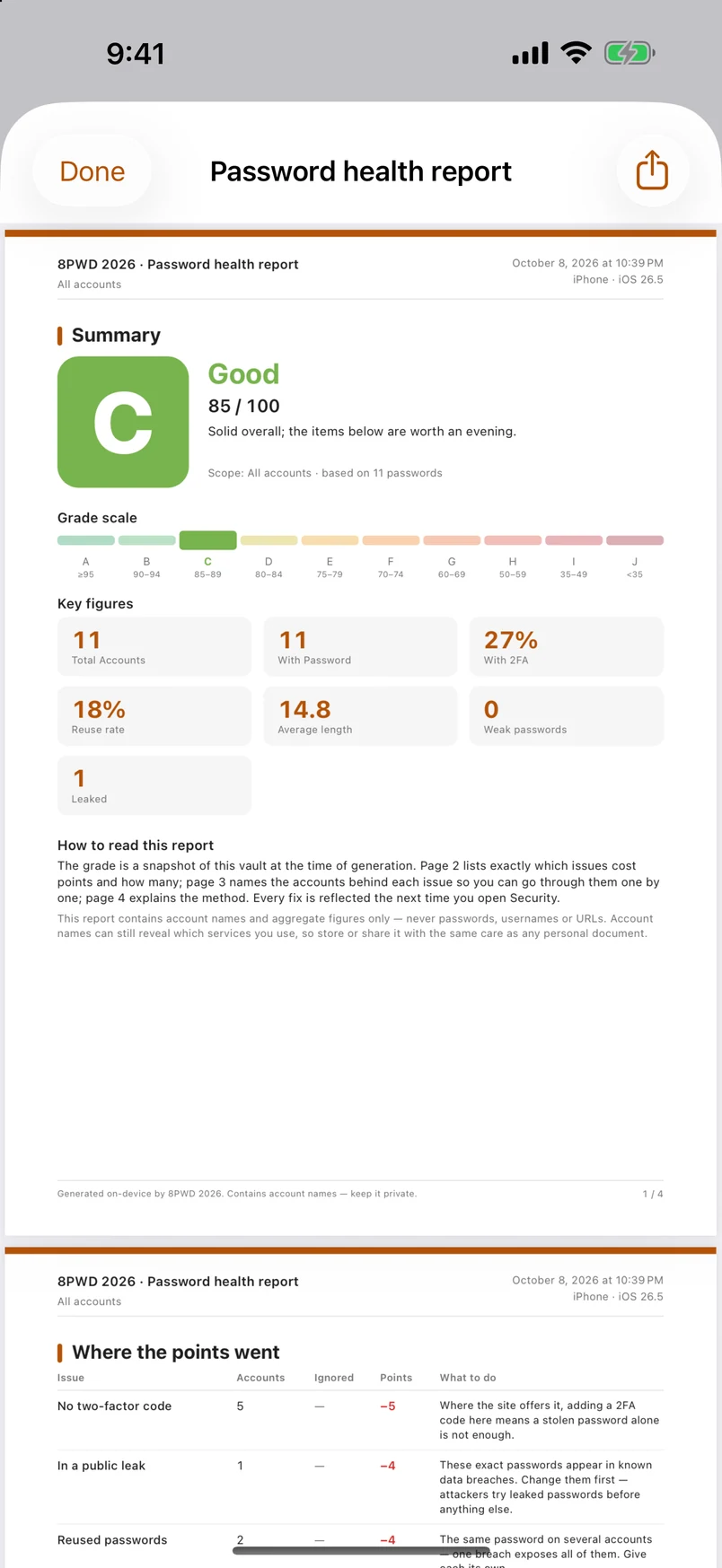
The four-page PDF password statistics report 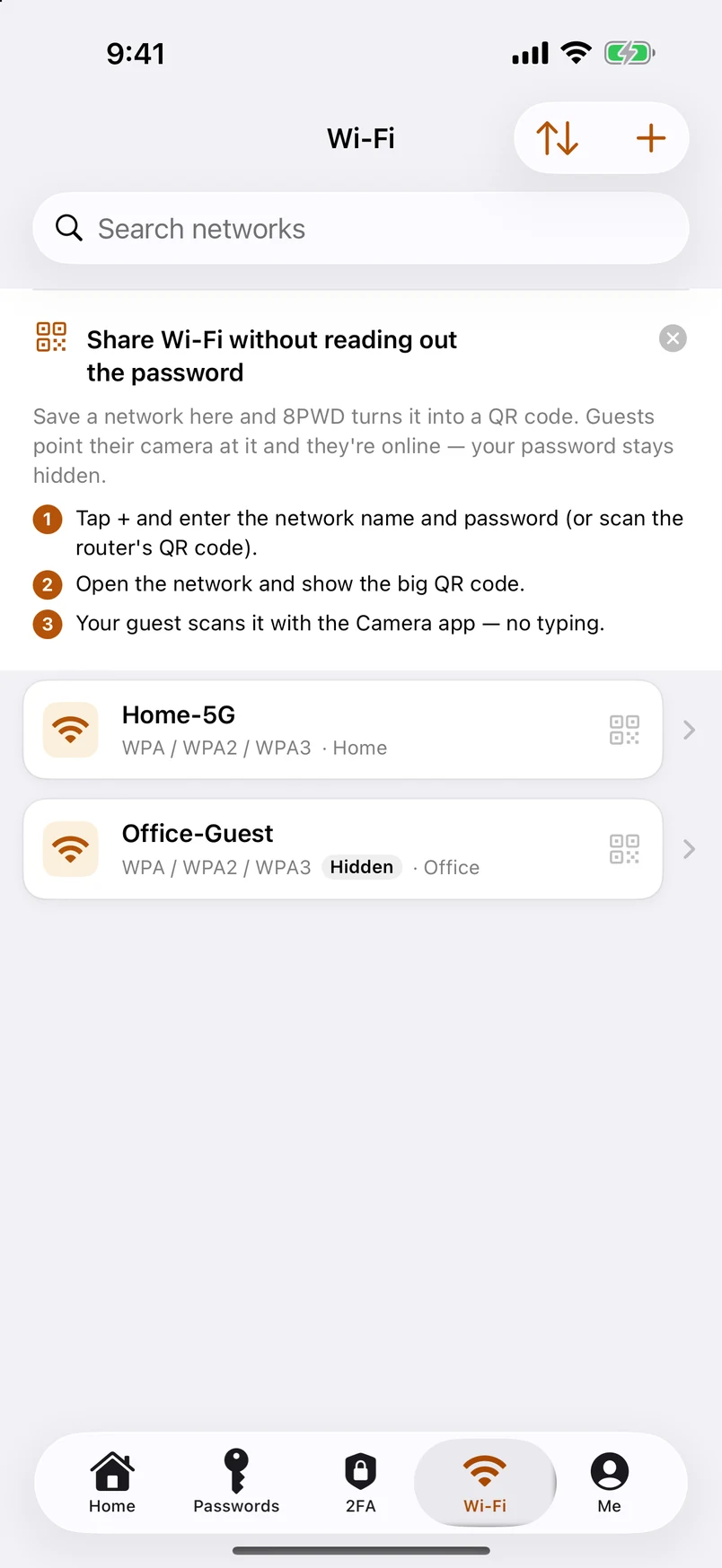
Wi-Fi passwords: a module on a par with 2FA 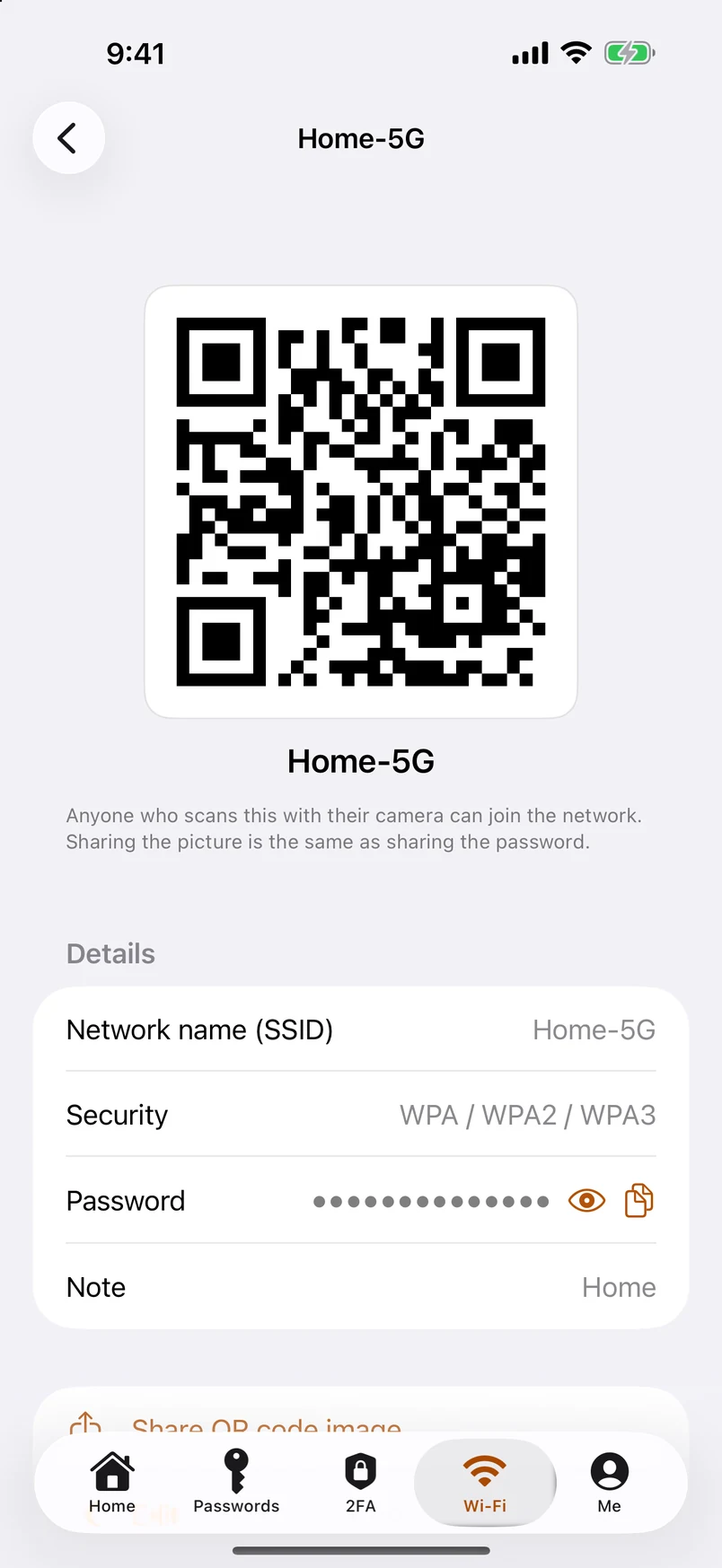
One QR code per network — scan and you're on 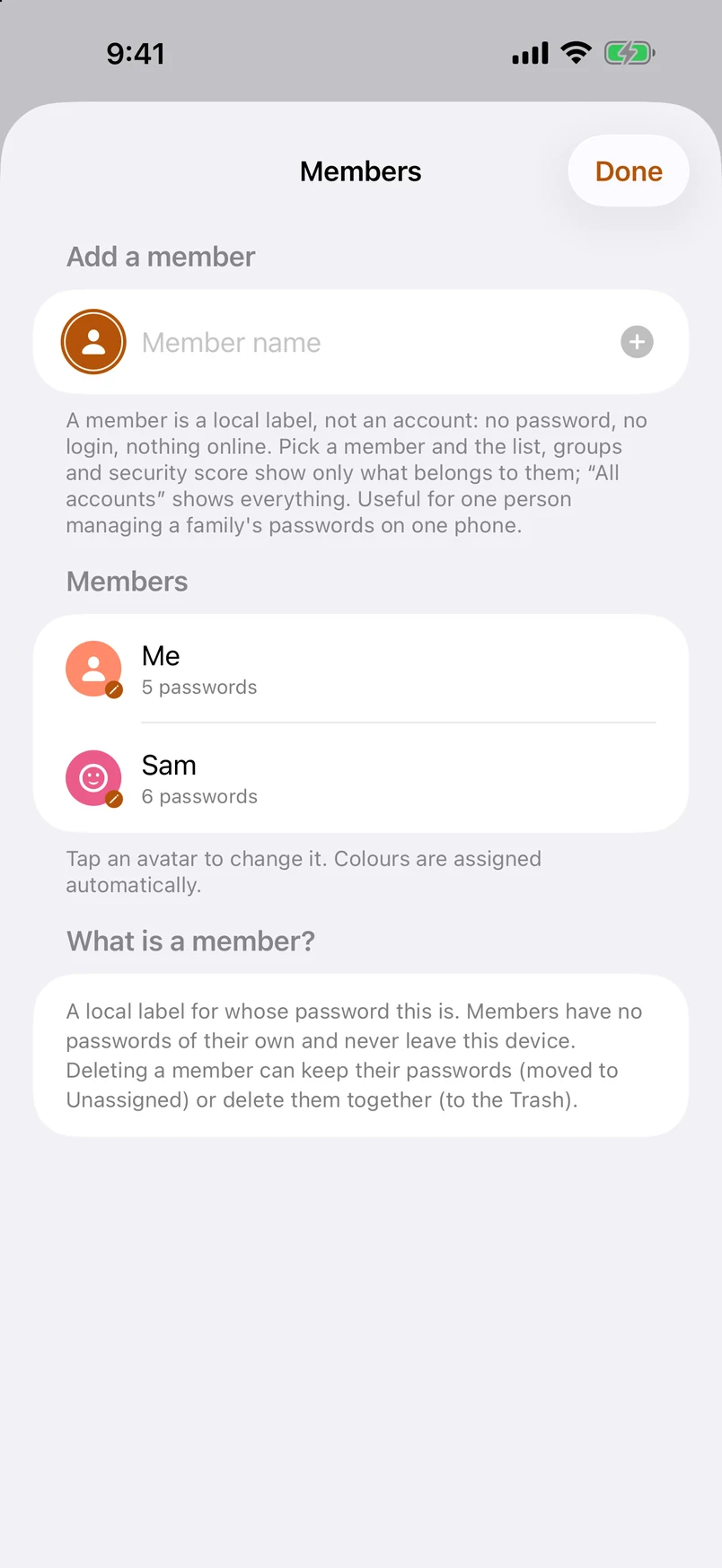
Members: one person, the whole family 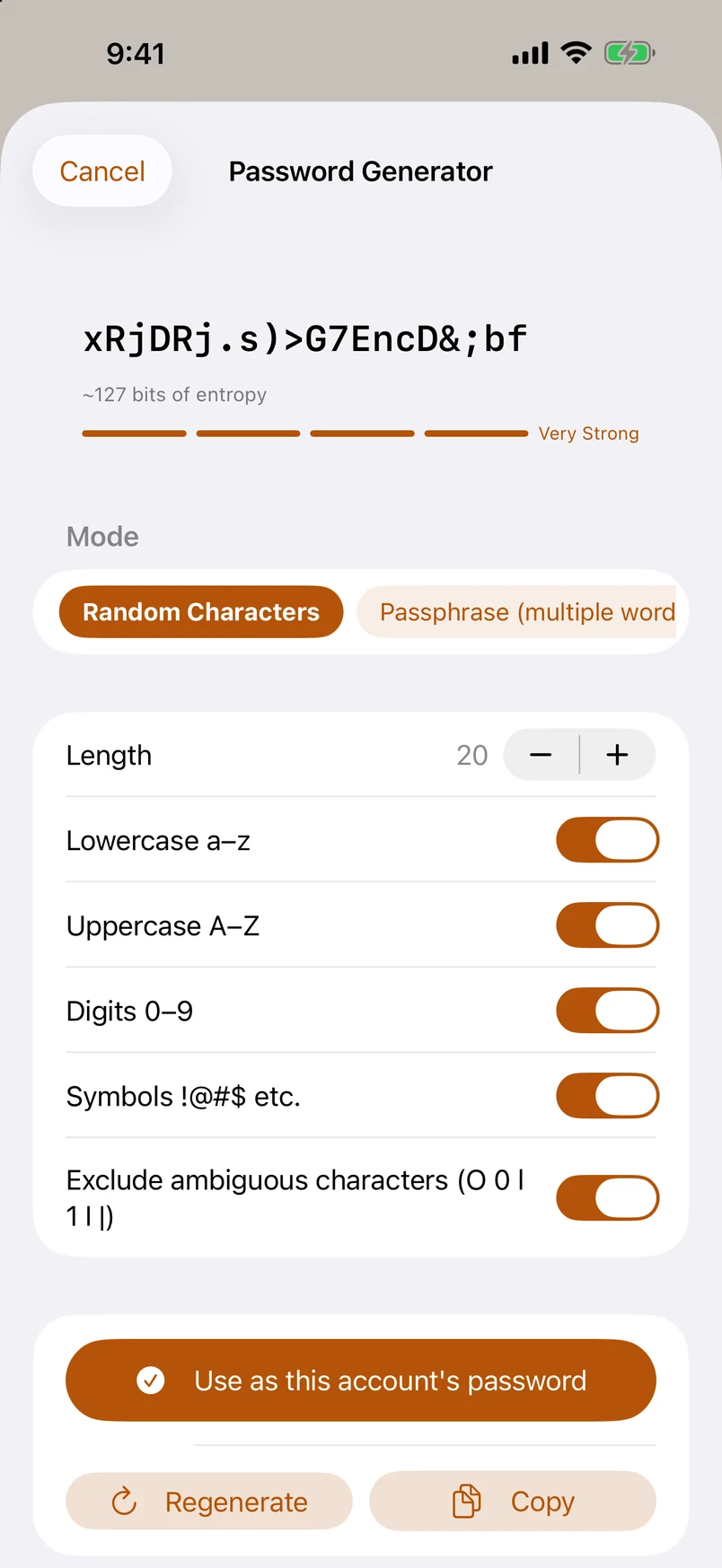
Four kinds of generated password 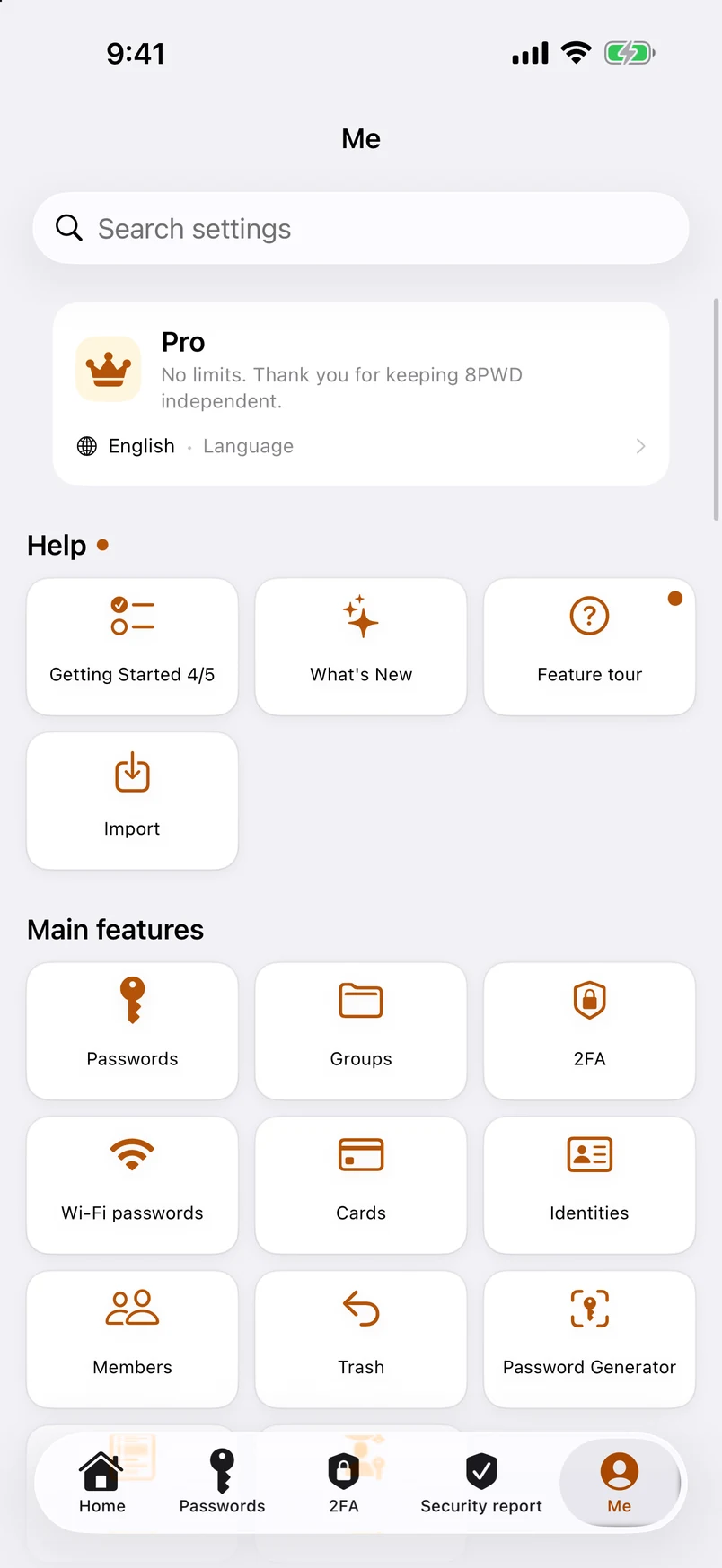
Me: every feature in six groups 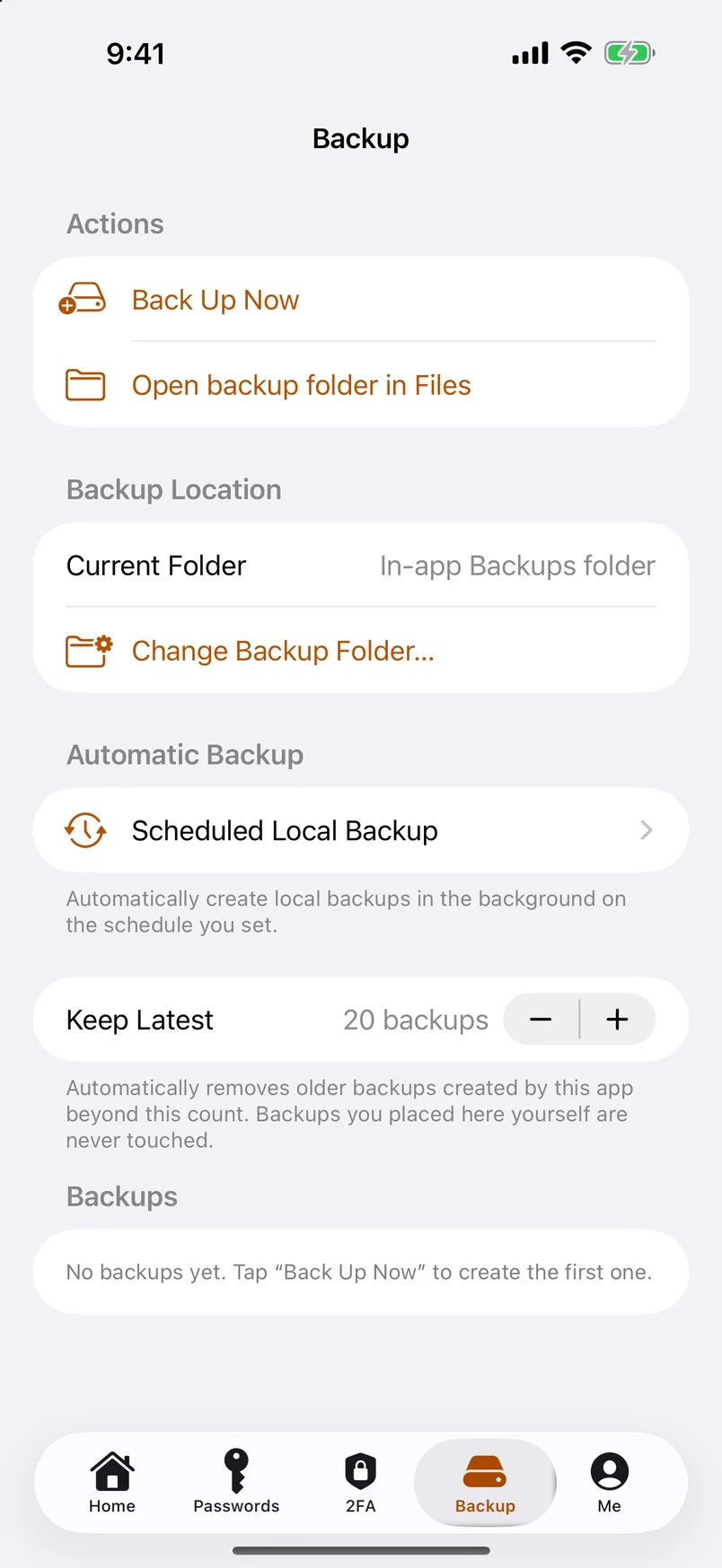
Scheduled local backups 
Pro: the plans — the free version is a card of its own
8PWD 2026 speaks thirteen languages — English, Traditional Chinese (Hong Kong), Simplified Chinese, Japanese, Korean, German, French, Spanish, Portuguese (Brazil), Italian, Arabic, Hebrew and Russian, the last three right-to-left where the language is. It follows your device language, and you can pin a different one under Me › Language. Legal texts in languages other than English are translations; the English version prevails. This website is in the first ten.